dagon@ssh ~ v2.0.10
$ dagon --connect prod-server
✓ SSH session established
✓ tmux session attach/detach + split panes
✓ Voice-to-Text engine loaded
✓ AI command generator active
✓ Git integration: 8 tools (diff, log, blame, PR/MR, stash, sync, branches, conflicts)
✓ Docker + PM2 management online
✓ SFTP, Monitoring (+ GPU), Port Forwarding online
Welcome to Dagon SSH v2.0.10 — Happy hacking!

Dagon SSH

Next-generation SSH terminal. Voice-to-Text, AI commands, tmux, Git, Docker, PM2, SFTP, GPU monitoring, voice notes, split panes — everything from your phone.

Android 6.0+ Linux macOS Windows v2.0.10
8
Git tools
15
voice languages
24
terminal themes
35+
screens
350+
builds
Dagon AI
built-in

Everything you need to manage your server

A professional SSH terminal with tools you won't find in any other mobile app.

Terminal SSH

Full xterm-256color with 10,000 lines of scrollback. Split panes in a binary tree (tmux-style), pinch-to-zoom 6-28pt, clickable URLs, highlighted search, copy mode, swipe between sessions.

  • Auto-reconnect (5 attempts with backoff)
  • Command-finished notifications
  • Configurable toolbar (drag & drop)
📊

tmux support

Full tmux integration. Sessions survive connection drops — reattach on reconnect with no loss of context. Toolbar shortcuts, session/window picker, auto-attach to the last session.

  • tmux attach / new / list-sessions from the UI
  • Session and window picker (Ctrl+B s, Ctrl+B w)
  • Auto-attach on SSH reconnect
  • tmux shortcuts on the configurable toolbar
🎤

Voice-to-Text

Speak to the terminal. Dagon AI transcribes voice to text in 15 languages. Auto-stop on silence, background recording, "enter" keyword detection at the end of an utterance.

  • Dagon AI — built-in, no setup
  • Background recording (foreground service)
  • Wake word — offline, MFCC + DTW
  • Mic-to-Enter — 3s after transcription
🤖

AI commands

Describe what you want — Dagon AI generates the command. Long-press the mic to send terminal context (last 15 lines).

  • Dagon AI — built-in
  • Terminal context (long-press)
  • Automatic "enter" at the end
📊

Voice notes

Record, transcribe, summarize. Folders, offline mode, custom reprocessing prompt, analysis chips, processing history.

  • Player with 1x-2x speed
  • Offline — auto-sync once back online
  • Custom prompt (max 300 chars)
  • Paste transcription into the terminal
🔌

Git Integration

8 tools: diff, log, blame, branches, stash, sync, PR/MR browser, conflict resolver. GitHub + GitLab with auto-detection. Inline code review.

  • Stage/unstage with diff preview
  • PR/MR with inline comments
  • Conflict resolver (ours/theirs/manual)
  • Push with "push" confirmation
📁

SFTP Browser

Full file manager on the server. Breadcrumb navigation, text editor with line numbers, Markdown and image preview with 0.5x-5x zoom.

  • 45+ text-file extensions
  • Upload with progress bar
  • Download to a chosen folder
  • Pinch-to-zoom and swipe between images
  • Bookmarks for quick navigation
📈

Server + GPU monitoring

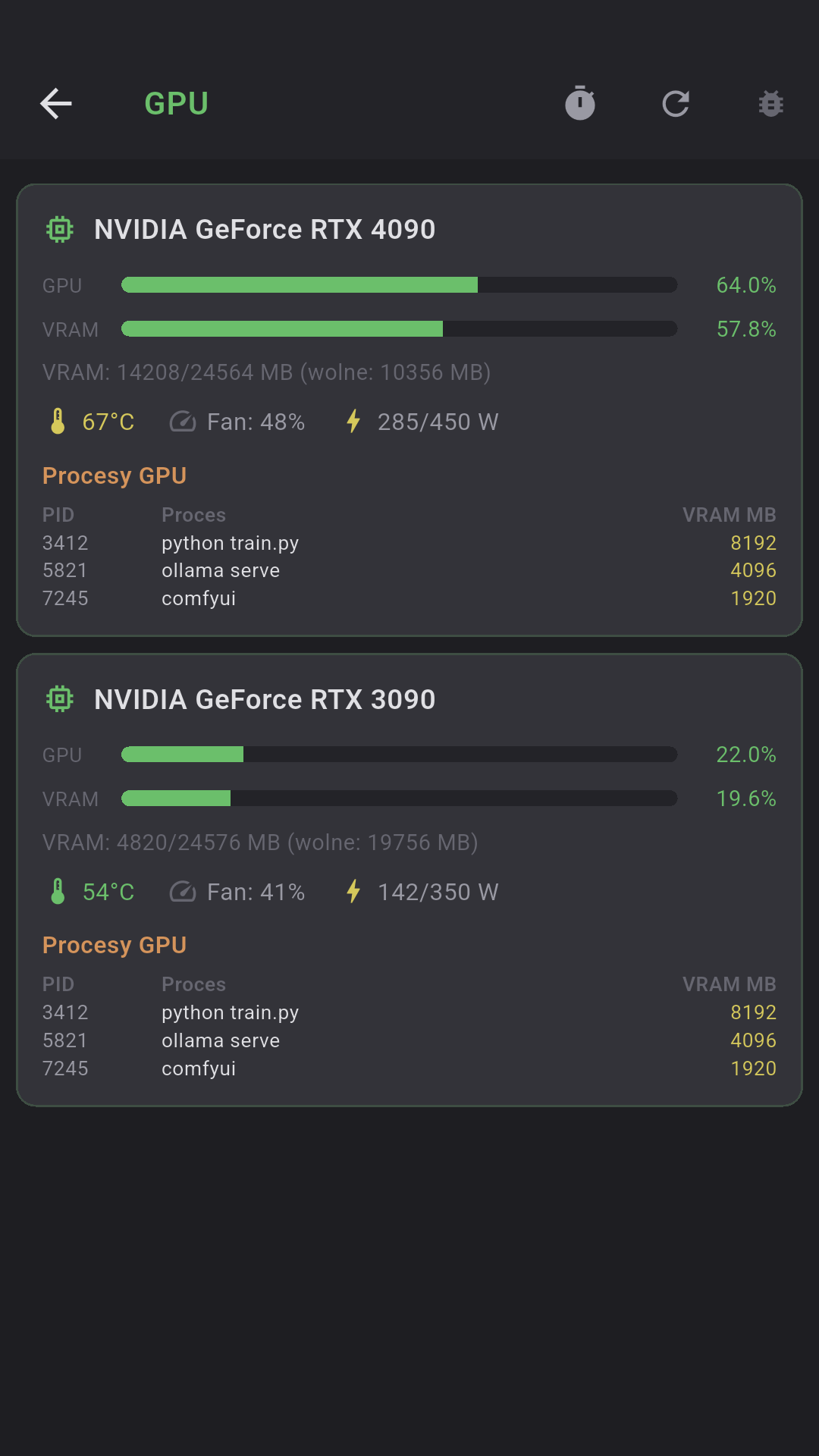
CPU, RAM, disk, network, top 10 processes — in real time. Auto-refresh 5s/10s/30s. Threshold coloring (green/yellow/red). NVIDIA/AMD GPU auto-detect.

  • Load average 1m/5m/15m + uptime
  • Separate bars per filesystem
  • RX/TX with per-interface throughput
  • GPU: utilization, VRAM, temp, fan, power
  • Server ping status on connection list
📨

Port Forwarding

Local (-L) and remote (-R) tunnels in the GUI. 5 port templates (PostgreSQL, MySQL, Redis, HTTP, MongoDB), active-connection counter.

  • Local: phone listens, SSH forwards
  • Remote: server forwards to phone
  • Play/Stop per rule
  • Status: active/error/stopped
🔑

SSH keys + biometrics

Generate Ed25519, import RSA/ECDSA from a file or clipboard. Jump host / ProxyJump. Biometrics on app start and on connect.

  • Encrypted hardware keystore
  • Passphrase for encrypted keys
  • SHA-256 fingerprint
  • Fingerprint / face / iris
📄

Parameterized snippets

Global and per-server folders. Parameters {{name}} with predefined options. Sync, quick access from the toolbar.

  • Syntax {{branch}}, {{env}}
  • Dropdown with options or free input
  • Snippet picker: other servers
  • Cloud sync (no credentials)
🎨

24 themes + custom

Dracula, Solarized, Nord, Tokyo Night, Catppuccin, Cyberpunk, Amber CRT, Kanagawa Wave, Everforest Dark and 15 more. Custom editor with 23 color slots + JSON import.

  • 8 standard + 8 bright ANSI
  • Background, text, cursor, selection
  • 3 highlight colors
  • 15 fonts + your own TTF/OTF
🔧

Configurable toolbar

2 base rows + any number of extras. Drag & drop between rows. Auto/px width, configurable mic and enter keys.

  • Cross-row drag & drop
  • 1:1 preview in the editor
  • Large mic: tall/short
  • Reset to defaults
📸

Docker Management

Full Docker container management over SSH. Containers, CPU/RAM stats, logs, images, volumes, networks — all in one place.

  • Start / Stop / Restart / Delete
  • Stats: CPU%, MEM%, NET I/O, BLOCK I/O
  • Logs with auto-refresh every 5s
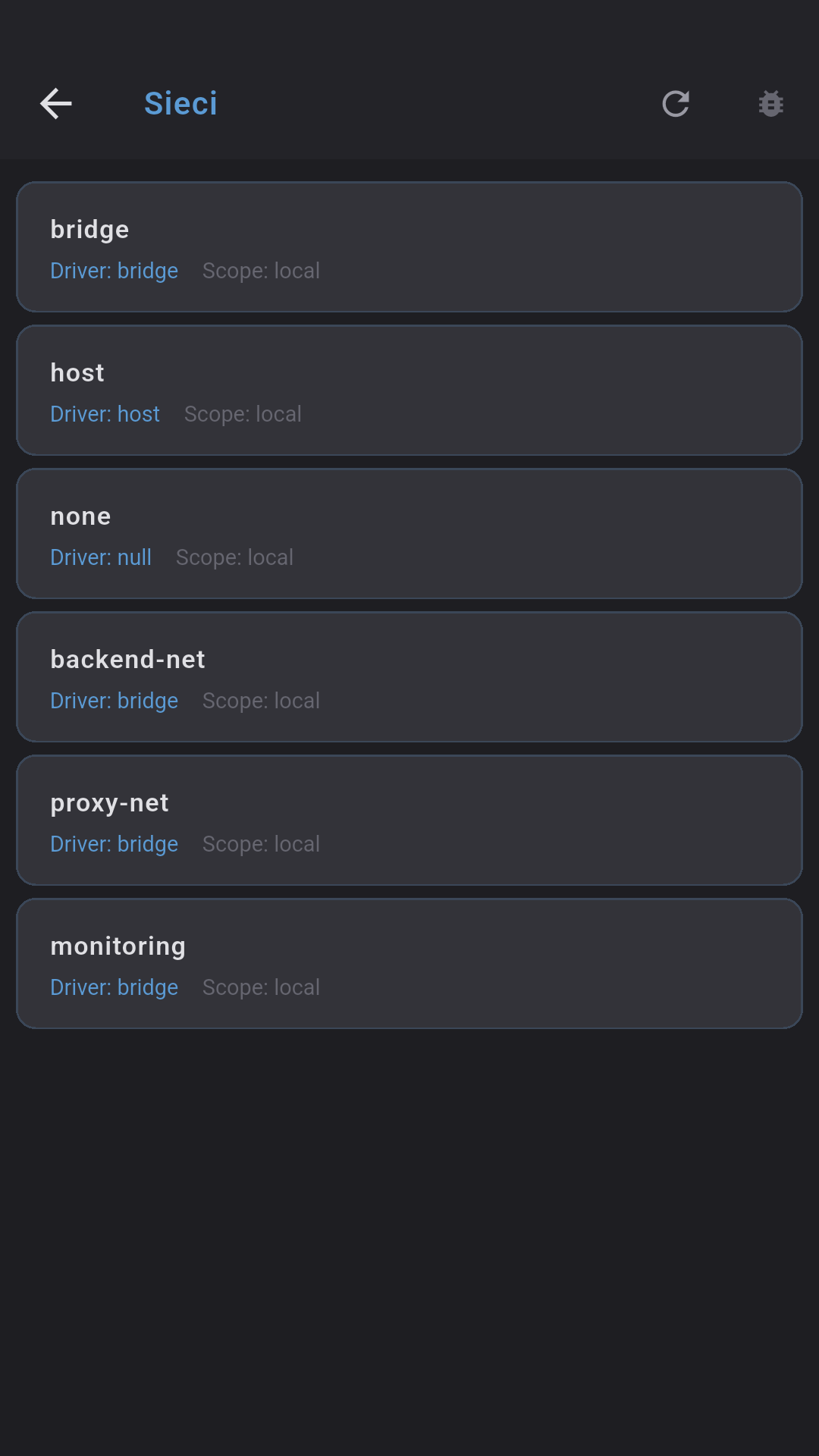
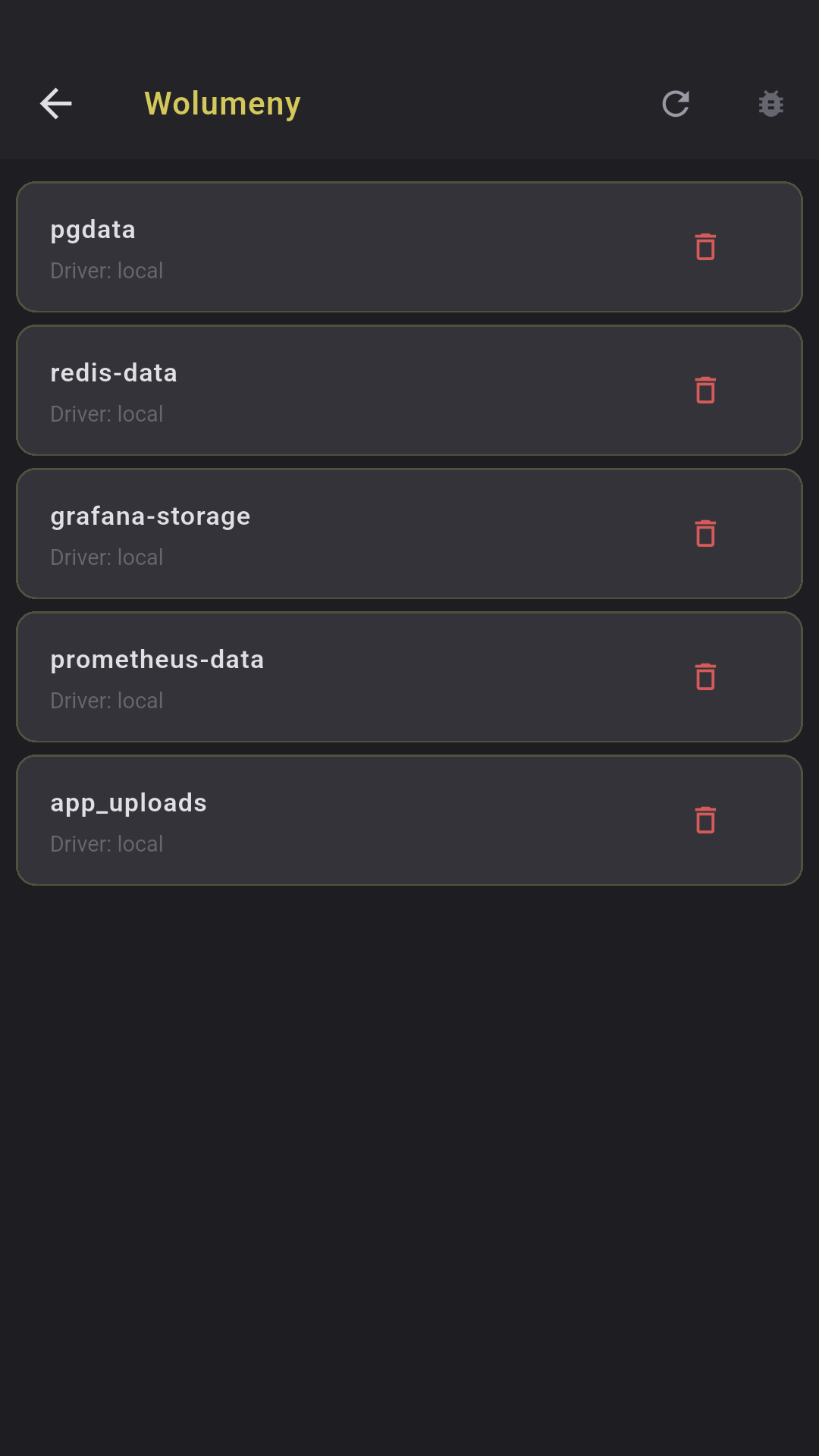
  • Images, volumes, networks (read/delete)

PM2 Management

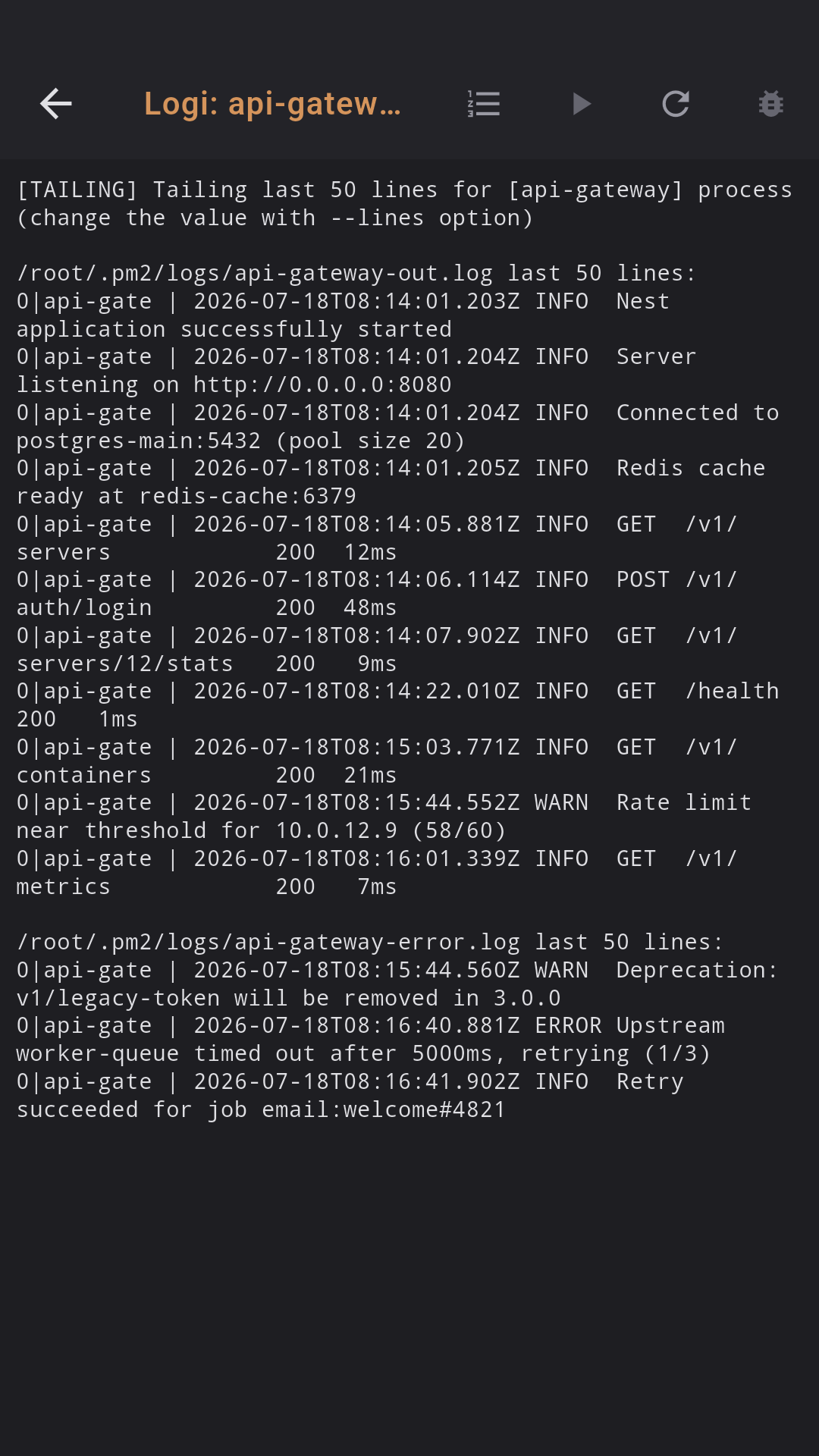
PM2 process management with full control. Process list with CPU/RAM/uptime, start/stop/restart/reload actions, real-time logs.

  • Status: online / stopped / errored
  • CPU%, memory (MB/GB), restarts
  • Reload (graceful, zero downtime)
  • Logs: auto-refresh every 3s, process picker
📊

Usage stats

See how much you use Dagon AI — recordings, audio seconds, AI commands and tokens, broken down by 24h / 7d / 30d / 90d.

  • Recordings & total audio time
  • AI commands & token usage
  • Trends per period
  • Crashlytics + Analytics + Performance

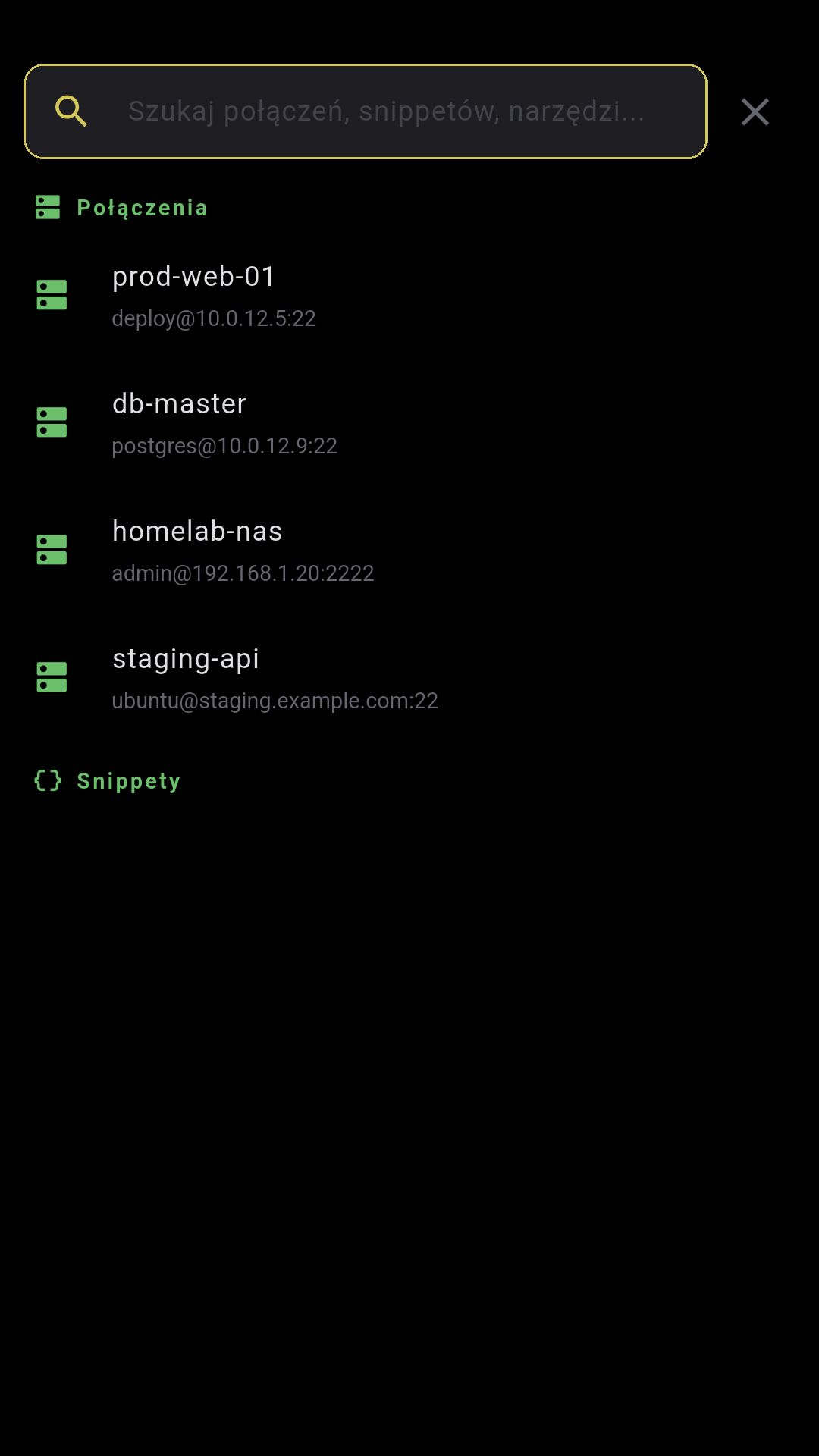
Command palette

Quick-access palette to jump to any tool — git, docker, pm2, sftp, monitoring, snippets, voice notes and more.

  • Search tools by name
  • Snippets & connections included
  • Keyboard-friendly on desktop
🔗

Backend auto-failover

Primary + fallback backend with automatic health probe. If the VPS is down, the app switches to the local tunnel seamlessly.

  • Asymmetric TTL (30s primary / 5s fallback)
  • Firebase Remote Config for server list
  • Transparent to the user

Cancel recording

Recording audio and changed your mind? A floating X button appears above the toolbar — tap to discard without transcribing.

  • Floating cancel button during recording
  • Discards audio, no transcription sent
  • Works for both voice & AI command mic

Terminal, for real

Not a toy — a professional terminal emulator with the features you know from desktop.

Split panes

Split the screen into multiple panes, each its own SSH session. Recursive binary tree — every pane can be split further, vertically or horizontally. A draggable divider changes the ratio.

The active pane is marked with a blue border. The toolbar routes to the focused pane. Closing a pane — its sibling expands to fill the space.

Search

Case-insensitive across the whole buffer. Current match yellow, the rest blue (max 200). Prev/next navigation with wrap-around, "N/M" counter.

Copy Mode

Quick selection: last line, last 5 or 20 lines. Mode stays active after copying — you can copy multiple times.

── Panel 1 (active) ───────────
user@prod:~$ htop
PID CPU% MEM% CMD
1234 45.2 12.1 nginx
5678 23.1 8.4 postgres
── Panel 2 ─────────────────
user@prod:/var/log$ tail -f nginx/access.log
192.168.1.1 GET /api/users 200 12ms
192.168.1.2 POST /api/auth 201 45ms
── Search: [nginx] 3/12 ───────
  • xterm-256color
  • 10,000 lines of scrollback
  • Pinch-to-zoom 6-28pt
  • Clickable URLs
  • Auto-reconnect 5 attempts
  • Swipe between sessions
  • Haptic + sound
  • Active thumbnails in the list
  • Startup command

Speak. AI understands.

From voice to command in a second. Voice + LLM + TTS — a full voice pipeline straight to the terminal.

1

Press the mic or say the wake word

Wake word — offline detection (MFCC + DTW). Record 5 samples and the app recognizes your voice without internet.

2

Say what you want to do

"Show nginx logs from the last 10 minutes" — auto-stop on silence (0-15s configurable)

3

Dagon AI generates the command

journalctl -u nginx --since "10 min ago" — Dagon AI turns plain language into a shell command.

4

Run with one tap

Command pasted into the terminal. Say "enter" at the end — it runs automatically.

Dagon AI is built in — nothing to configure, nothing to pay for, no API keys to manage.

Voice notes

Long-form voice memos for meetings, brainstorms, bug reports and ideas. Record → transcribe → summarize → extract action items — all in one place. Notes live in folders, work offline, sync when you’re back online, and any transcription can be pasted straight into the terminal.

1

Record

Tap to record up to 30 minutes per note. Background recording keeps going while you switch apps. Up to 20 notes can queue offline and auto-sync once you’re back online.

2

Transcribe

Dagon AI transcribes in 15 languages. Auto-language detection or pick one. Playback at 1x–2x while you read along.

3

Summarize

One tap and Dagon AI summarises the transcription. Get a title, a 1–2 sentence summary, and a list of action items — ready to copy or share.

4

Reprocess with a custom prompt

Re-run any note with your own prompt (max 300 chars) — e.g. extract action items, translate to English, list every command mentioned. Each pass is kept in the processing history so you can compare.

Client meeting — Today 14:30
02:45   1.5x   📄 Transcription ✦ Summary
[auto_awesome] "Extract action items..."
Debug redis — Yesterday 09:15
🔡 Queued offline — will sync on reconnect

Folders · custom reprocessing prompts · processing history · offline queue (max 20). Independent transcription and summary languages.

A full Git IDE on your phone

8 dedicated screens. GitHub + GitLab with auto-detection. Inline code review, conflict resolver, push with confirmation.

📋

Git Changes

Staged / Unstaged / Untracked. Colored diff preview. Stage/unstage per file. Commit with --no-verify option.

📜

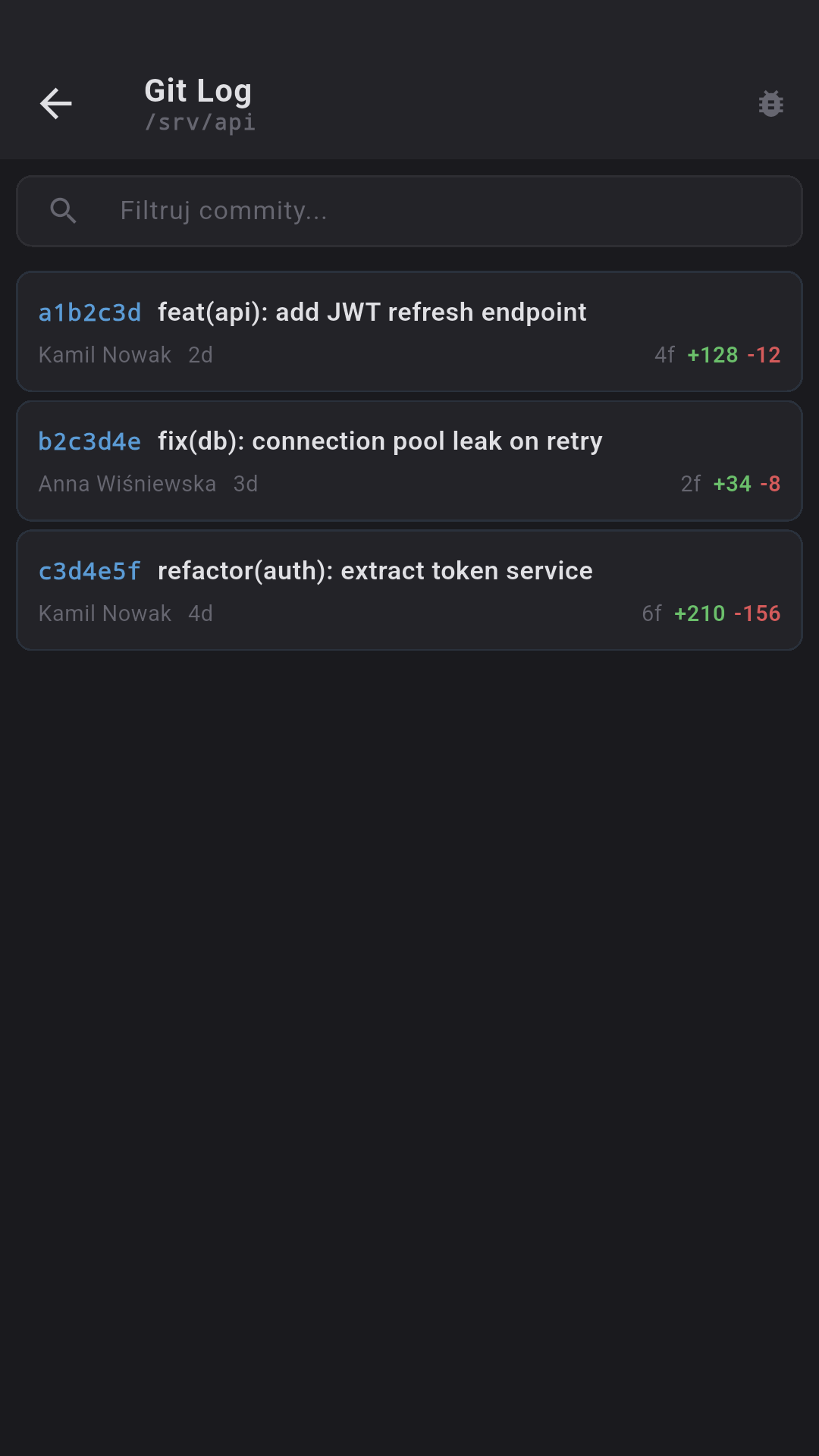
Git Log

50 commits with short stat. Expandable per-file diffs. Filter by hash, author or message.

🔍

Git Blame

File picker with search. Block layout with an 8-color commit palette. Pinch-to-zoom.

🔌

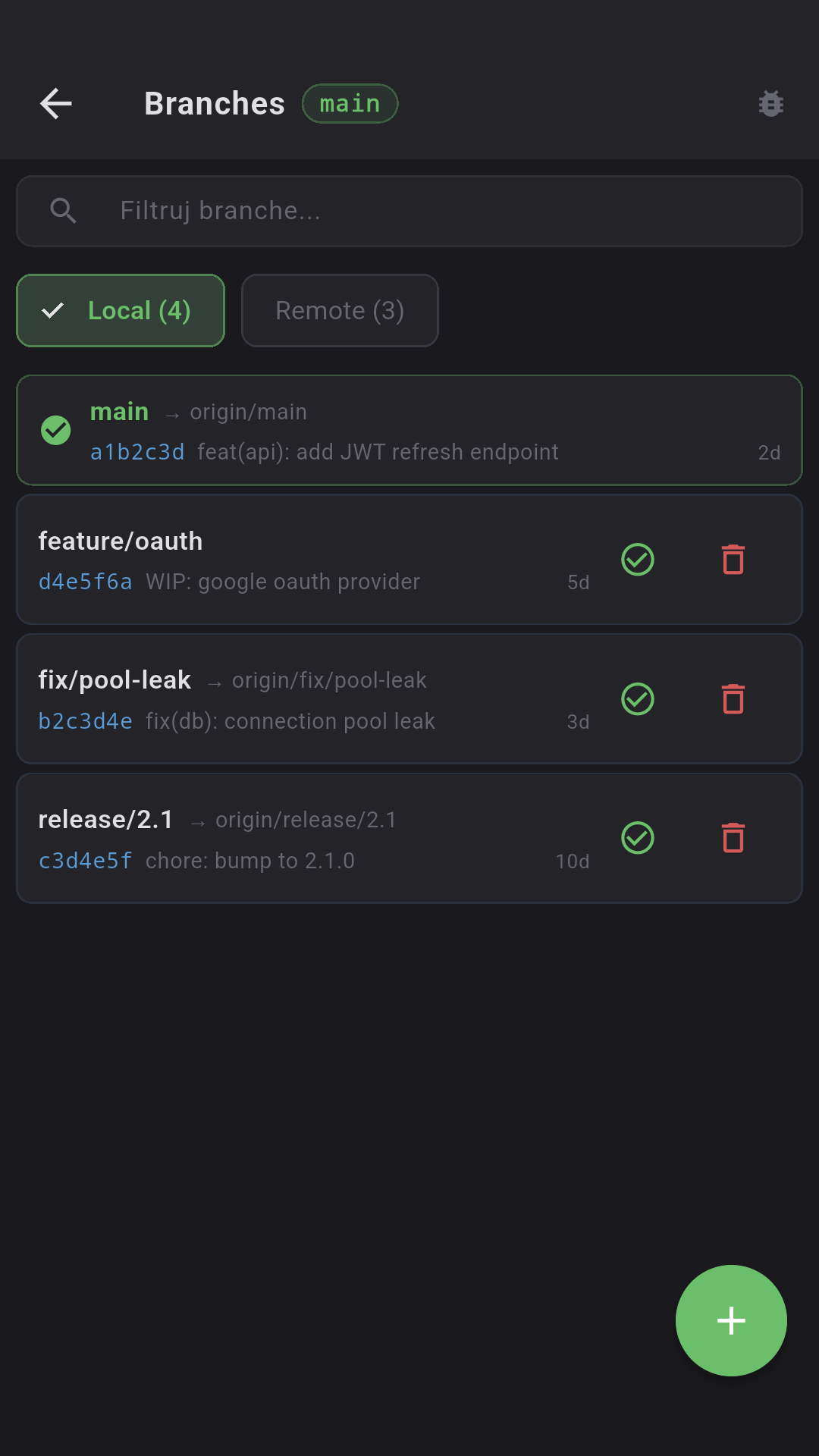
Branches

Local / Remote with counters. Checkout, new branch, delete (type "delete"). Tracking info.

📦

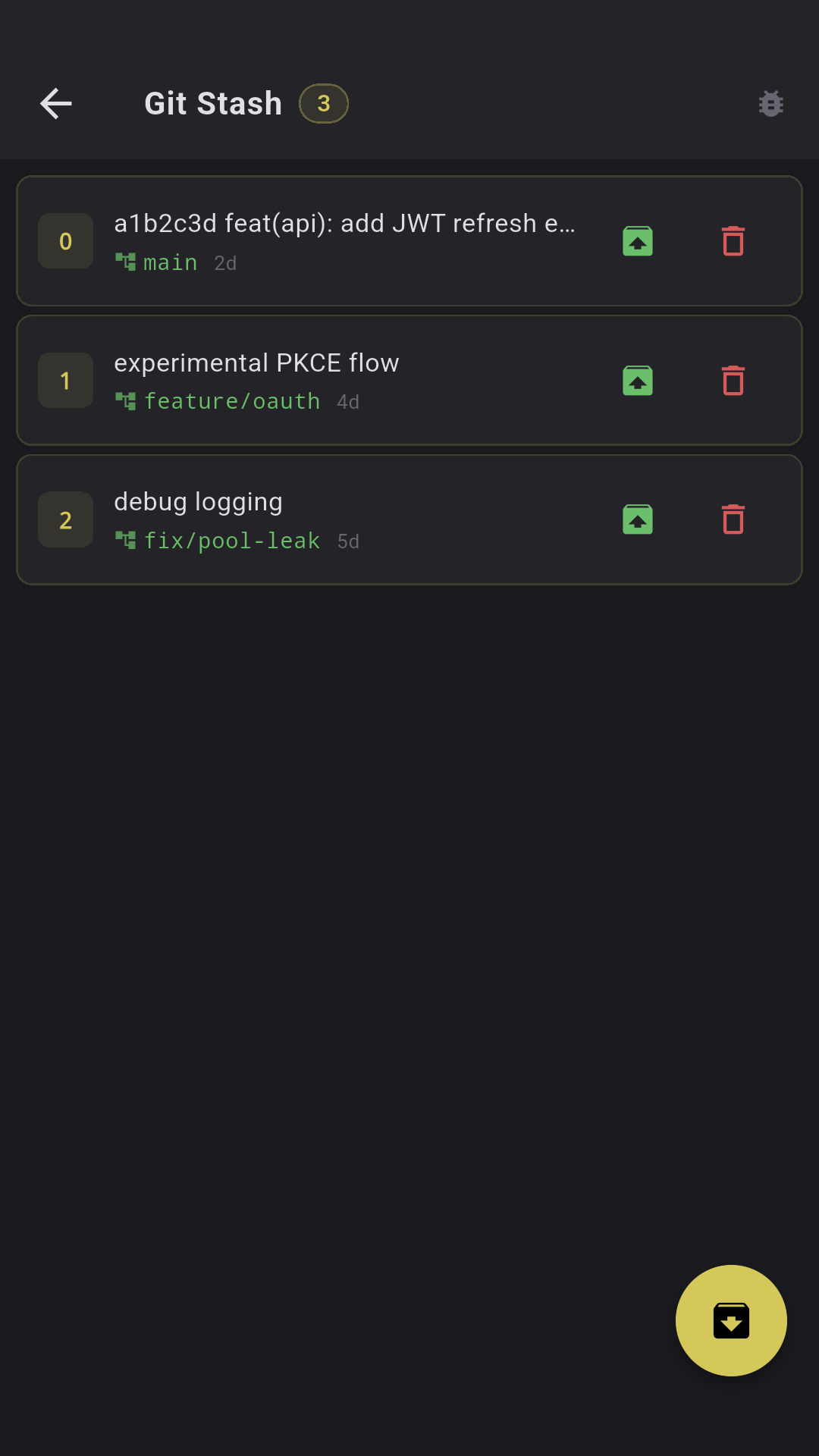
Git Stash

Push with a message, Pop/Apply/Drop with diff preview. Drop requires typing "drop".

🔃

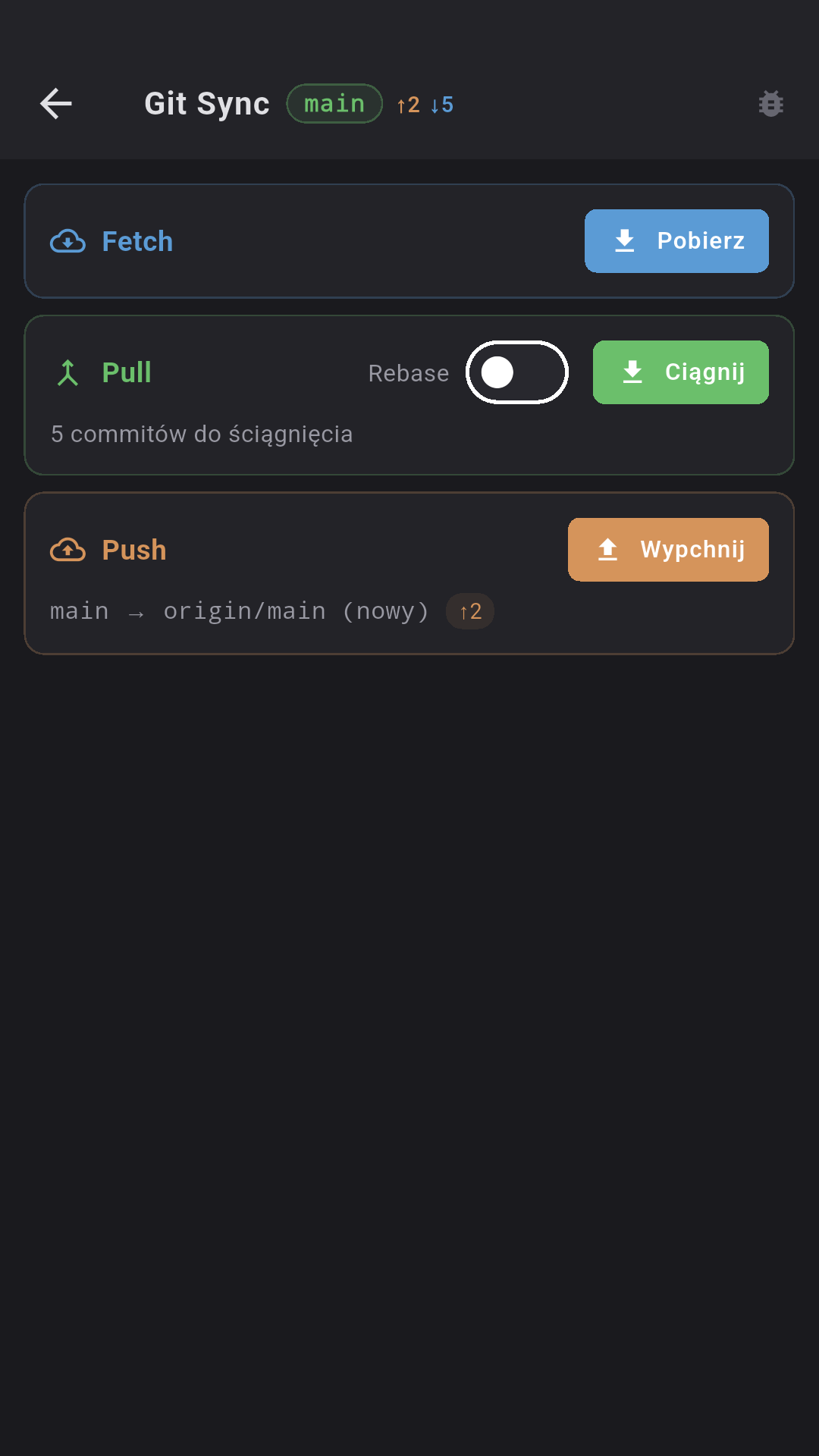
Push / Pull / Fetch

Ahead/behind badges. Pull with rebase option. Push requires typing "push". Auto set-upstream.

💬

Pull / Merge Requests

GitHub PR + GitLab MR. Per-file diffs, inline code review comments, CI status, labels, reviewers.

🚧

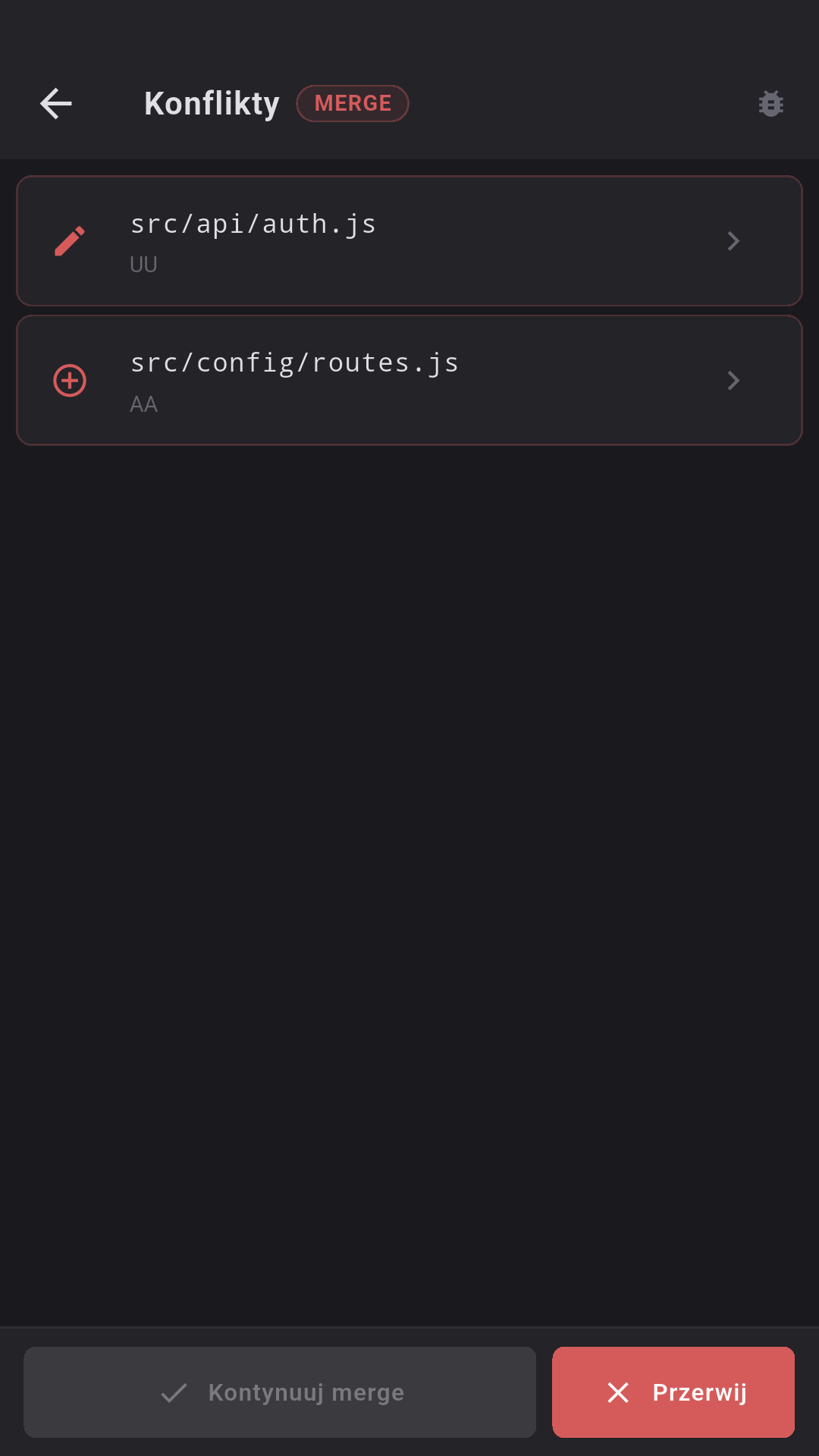
Conflict Resolver

Colored markers (ours/theirs). Three actions: Ours, Theirs, Resolved. Continue merge/rebase/cherry-pick.

Automatic CWD detection via /proc inspection. Token from the repo's .env file (GIT_ACCESS_TOKEN).

Infrastructure under control

Full server-environment management without leaving the terminal.

📸

Docker containers

List of all containers (docker ps -a), running/all toggle, filtering. Actions: start/stop/restart/delete with confirmation.

📈

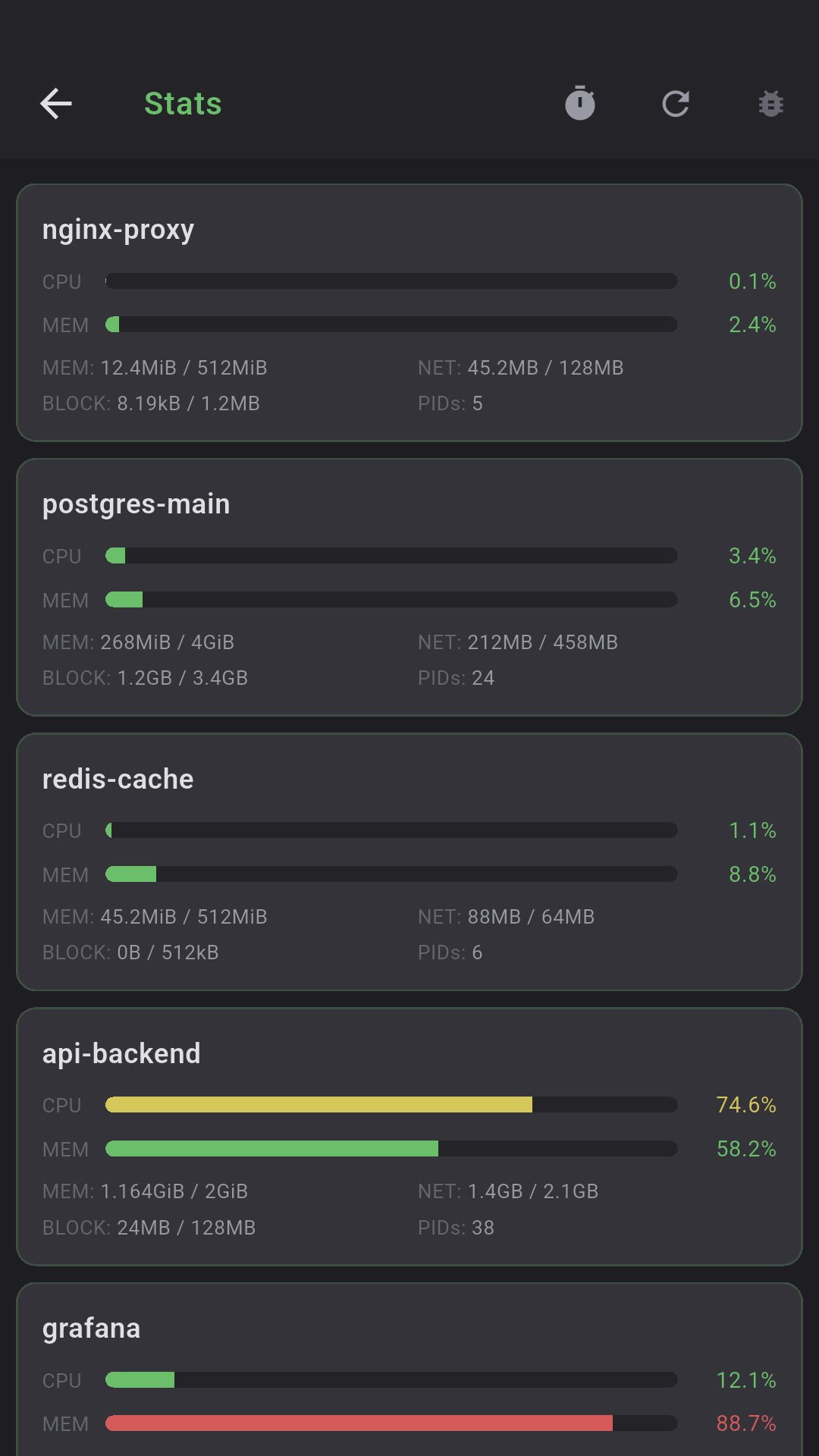
Docker Stats

CPU%, MEM% (progress bars), NET I/O, BLOCK I/O, PIDs per container. Auto-refresh 5/10/30s.

📜

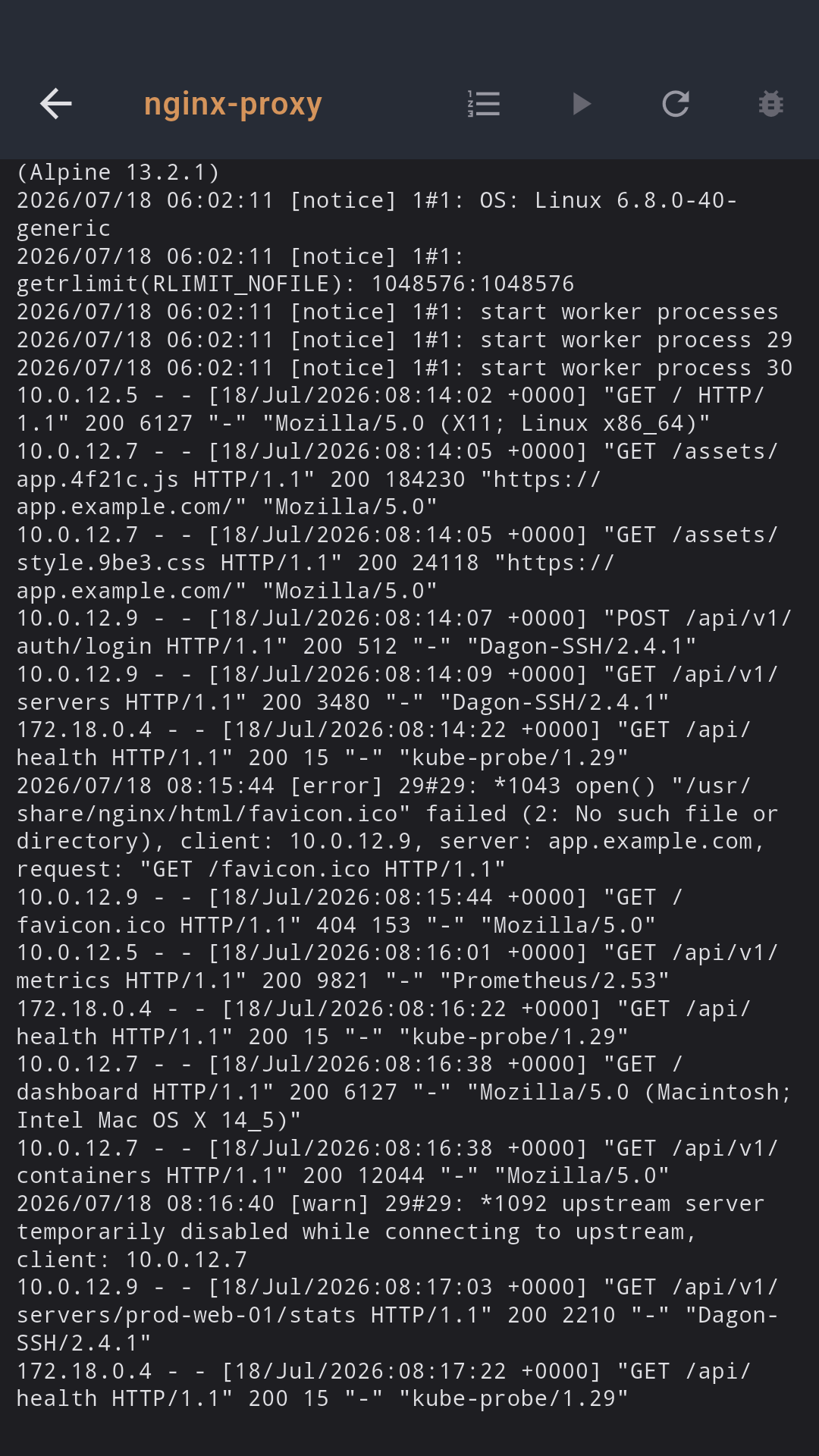
Docker logs

Tail logs of the chosen container (100—1000 lines), monospace with auto-scroll, optional auto-refresh every 5s.

💾

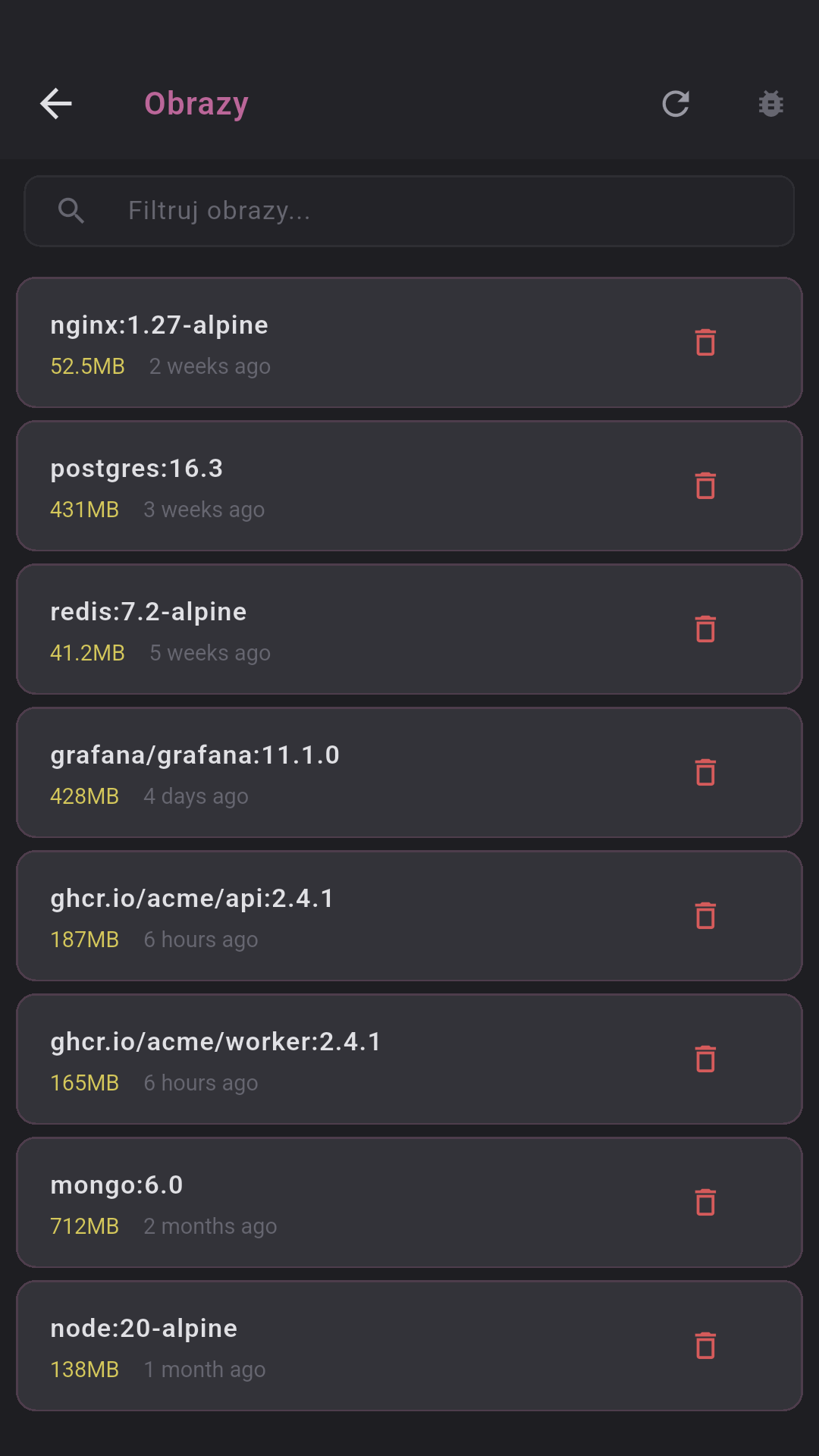
Images, volumes, networks

Image list with size and age, volumes with driver (delete with confirmation), networks with driver/scope.

PM2 processes

Status (online/stopped/errored), PID, CPU%, memory, uptime, restarts, interpreter. Start/Stop/Restart/Reload/Delete.

📝

PM2 logs

Tail PM2 process logs (50—500 lines), auto-refresh every 3s. Process picker when name missing. Tap a process → logs.

Docker availability check on open — if Docker isn't installed, shows a clear message.
All commands run over SSH — zero agents on the server.

See it in action

Retro neon terminal — every screen styled with RetroTheme.

Terminal SSH

Terminal SSH

xterm-256color with neon theme

Split Terminal

Split Terminal

Multiple panes side by side

Voice-to-Text

Voice-to-Text

Recording and transcription

AI Commands

AI commands

Dagon AI generates the command

SFTP Browser

SFTP Browser

Server files with preview

Git Changes

Git Changes

Colored diff, stage/unstage

Pull Requests

Pull Requests

GitHub PR / GitLab MR

Git Blame

Git Blame

8-color commit palette

Server Monitoring

Monitoring

CPU, RAM, disk, network, processes

Port Forwarding

Port Forwarding

Local/Remote SSH tunnels

Voice Notes

Voice notes

Folders, transcription, summary

Snippets

Snippety

Folders, parameters {{branch}}

Terminal Themes

24 themes

Dracula, Nord, Cyberpunk...

SSH Keys

SSH keys

Ed25519, RSA, fingerprint

Connection List

Connection list

Active sessions + saved servers

Toolbar Editor

Toolbar Editor

Drag & drop, rows, width

Settings

Settings

4 tabs: Terminal, Toolbar, Sound, Other

Docker Management

Docker

Containers, stats, logs, images

PM2 Management

PM2

Processes, status, logs, actions

Built on solid foundations

Proven, open standards. No vendor lock-in.

🔐
SSH
Native protocol, Ed25519/RSA keys
🔒
Secure storage
Hardware keystore + biometrics
📊
tmux
Persistent sessions over SSH
🎤
Voice-to-Text
Powered by Dagon AI
🤖
AI commands
Powered by Dagon AI
🍃
NoSQL
Scalable cloud database
👤
OAuth
Federated sign-in + tokens
WebSocket
Real-time sync and streaming
🛡
TLS / HTTPS
End-to-end encrypted transport

Simple pricing

Start free. Go Pro when you need more. Dagon AI is included on every plan.

Free

$0
forever
  • SSH terminal + tmux
  • Split panes
  • 20 voice messages/mo
  • 15 AI commands/mo
  • SFTP (read-only)
  • 24 terminal themes
  • SSH keys + biometrics
  • Git Integration
  • Docker & PM2

Pro

$9.99
per user / month
  • Everything in Personal, plus
  • Unlimited voice + AI
  • Priority support
  • Cloud sync of connections
  • Export/import servers
  • Dedicated onboarding

Dagon AI is built in — no API keys, no extra fees, no setup.