dagon@ssh ~ v1.82.6
$ dagon --connect prod-server
✓ SSH session established
✓ tmux session attach/detach + split panes
✓ Voice-to-Text engine loaded
✓ AI command generator active
✓ Git integration: 8 tools (diff, log, blame, PR/MR, stash, sync, branches, conflicts)
✓ Docker + PM2 management online
✓ SFTP, Monitoring (+ GPU), Port Forwarding online
Welcome to Dagon SSH v1.82.6 — Happy hacking!

Dagon SSH

Next-generation SSH terminal. Voice-to-Text, AI commands, tmux, Git, Docker, PM2, SFTP, GPU monitoring, voice notes, split panes — everything from your phone.

Android 6.0+ Linux macOS Windows v1.82.6
8
Git tools
15
voice languages
24
terminal themes
35+
screens
250+
builds
15+
AI models

Everything you need to manage your server

A professional SSH terminal with tools you won't find in any other mobile app.

Terminal SSH

Full xterm-256color with 10,000 lines of scrollback. Split panes in a binary tree (tmux-style), pinch-to-zoom 6-28pt, clickable URLs, highlighted search, copy mode, swipe between sessions.

  • Auto-reconnect (5 attempts with backoff)
  • Command-finished notifications
  • Configurable toolbar (drag & drop)
  • Session log with search
📊

tmux support

Full tmux integration. Sessions survive connection drops — reattach on reconnect with no loss of context. Toolbar shortcuts, session/window picker, auto-attach to the last session.

  • tmux attach / new / list-sessions from the UI
  • Session and window picker (Ctrl+B s, Ctrl+B w)
  • Auto-attach on SSH reconnect
  • tmux shortcuts on the configurable toolbar
🎤

Voice-to-Text

Speak to the terminal. Whisper transcribes voice to text in 15 languages. Auto-stop on silence, background recording, "enter" keyword detection at the end of an utterance.

  • Local and cloud models of your choice
  • Background recording (foreground service)
  • Wake word — offline, MFCC + DTW
  • Mic-to-Enter — 3s after transcription
🤖

AI commands

Describe what you want — AI generates the command. Long-press the mic to send terminal context (last 15 lines). Local model first, GPT as fallback — minimal data leaves your server.

  • Self-hosted model — primary
  • Cloud LLM — fallback on error
  • Terminal context (long-press)
  • Automatic "enter" at the end
📊

Voice notes

Record, transcribe, summarize. Folders, offline mode, custom reprocessing prompt, analysis chips, processing history.

  • Player with 1x-2x speed
  • Offline — auto-sync once back online
  • Custom prompt (max 300 chars)
  • Paste transcription into the terminal
🔌

Git Integration

8 tools: diff, log, blame, branches, stash, sync, PR/MR browser, conflict resolver. GitHub + GitLab with auto-detection. Inline code review.

  • Stage/unstage with diff preview
  • PR/MR with inline comments
  • Conflict resolver (ours/theirs/manual)
  • Push with "push" confirmation
📁

SFTP Browser

Full file manager on the server. Breadcrumb navigation, text editor with line numbers, Markdown and image preview with 0.5x-5x zoom.

  • 50+ text-file extensions
  • Upload with progress bar
  • Download to a chosen folder
  • Pinch-to-zoom and swipe between images
📈

Server + GPU monitoring

CPU, RAM, disk, network, top 10 processes — in real time. Auto-refresh 5s/10s/30s. Threshold coloring (green/yellow/red). NVIDIA/AMD GPU auto-detect.

  • Load average 1m/5m/15m + uptime
  • Separate bars per filesystem
  • RX/TX with per-interface throughput
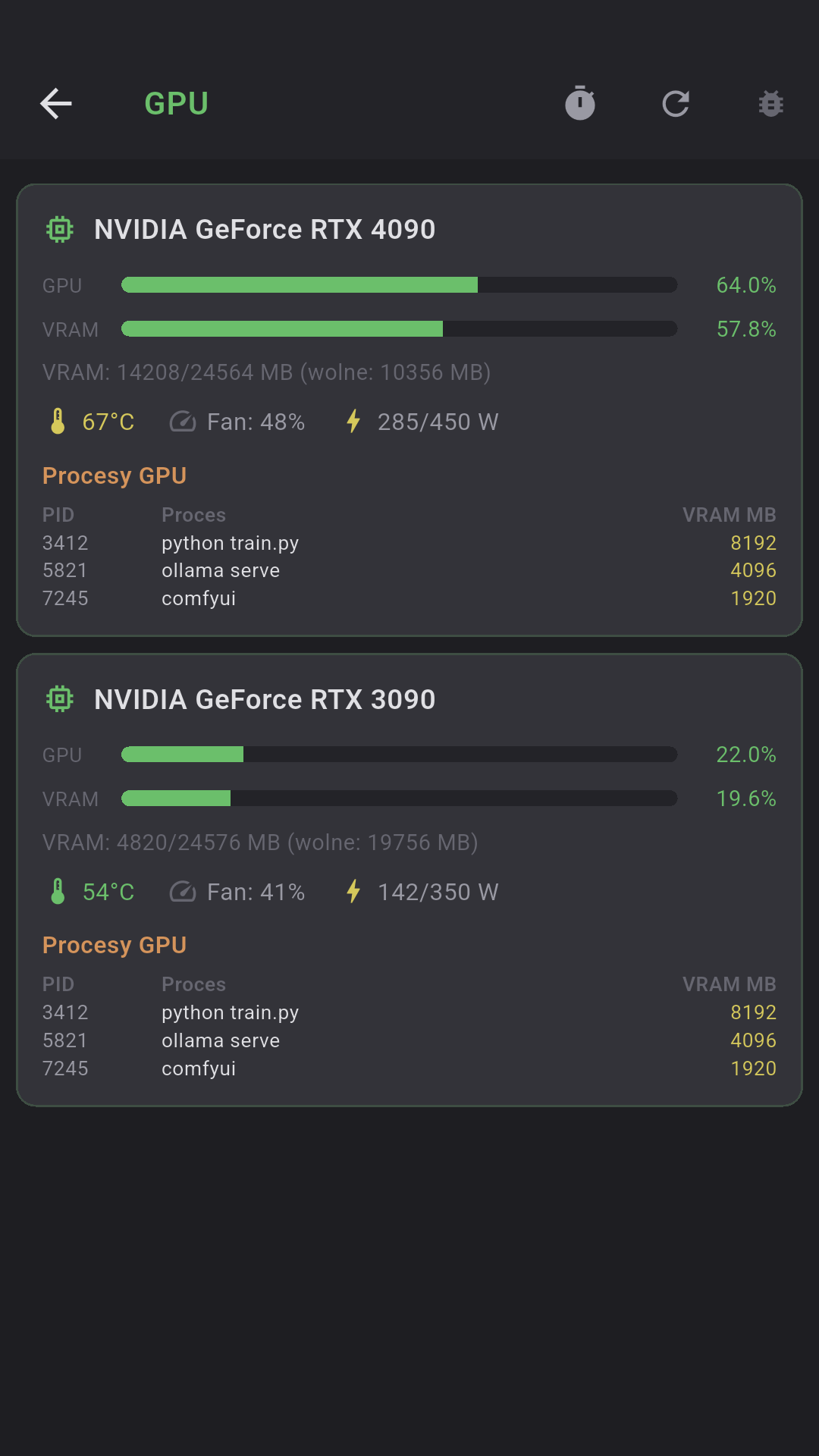
  • GPU: utilization, VRAM, temp, fan, power
📨

Port Forwarding

Local (-L) and remote (-R) tunnels in the GUI. 5 port templates (PostgreSQL, MySQL, Redis, HTTP, MongoDB), active-connection counter.

  • Local: phone listens, SSH forwards
  • Remote: server forwards to phone
  • Play/Stop per rule
  • Status: active/error/stopped
🔑

SSH keys + biometrics

Generate Ed25519, import RSA/ECDSA from a file or clipboard. Jump host / ProxyJump. Biometrics on app start and on connect.

  • Encrypted hardware keystore
  • Passphrase for encrypted keys
  • SHA-256 fingerprint
  • Fingerprint / face / iris
📄

Parameterized snippets

Global and per-server folders. Parameters {{name}} with predefined options. Sync, quick access from the toolbar.

  • Syntax {{branch}}, {{env}}
  • Dropdown with options or free input
  • Snippet picker: other servers
  • Cloud sync (no credentials)
🎨

24 themes + custom

Dracula, Solarized, Nord, Tokyo Night, Catppuccin, Cyberpunk, Amber CRT, Kanagawa Wave, Everforest Dark and 15 more. Custom editor with 23 color slots + JSON import.

  • 8 standard + 8 bright ANSI
  • Background, text, cursor, selection
  • 3 highlight colors
  • 19 fonts + your own TTF/OTF
🔧

Configurable toolbar

2 base rows + any number of extras. Drag & drop between rows. Auto/px width, configurable mic and enter keys.

  • Cross-row drag & drop
  • 1:1 preview in the editor
  • Large mic: tall/short
  • Reset to defaults
📸

Docker Management

Full Docker container management over SSH. Containers, CPU/RAM stats, logs, images, volumes, networks — all in one place.

  • Start / Stop / Restart / Delete
  • Stats: CPU%, MEM%, NET I/O, BLOCK I/O
  • Logs with auto-refresh every 5s
  • Images, volumes, networks (read/delete)

PM2 Management

PM2 process management with full control. Process list with CPU/RAM/uptime, start/stop/restart/reload actions, real-time logs.

  • Status: online / stopped / errored
  • CPU%, memory (MB/GB), restarts
  • Reload (graceful, zero downtime)
  • Logs: auto-refresh every 3s, process picker
💻

Local terminal

On-device shell with no SSH. PTY on Android, home directory on sdcard, aliases and colors from .dagon_shrc. Open locally and over the network.

  • PTY: /system/bin/sh, no SSH
  • Green PS1, ls --color, ll, la
  • Available in split panes
  • SSH-only tools auto-hidden
📊

Usage & costs

Local API usage tracking: voice transcriptions, LLM tokens, AI commands. 24h/7d/30d/90d table with per-model costs.

  • Voice: audio seconds, transcription count
  • LLM: prompt/response tokens
  • Per-model costs + totals
  • Crashlytics + Analytics + Performance

Terminal, for real

Not a toy — a professional terminal emulator with the features you know from desktop.

Split panes

Split the screen into multiple panes, each its own SSH session. Recursive binary tree — every pane can be split further, vertically or horizontally. A draggable divider changes the ratio.

The active pane is marked with a blue border. The toolbar routes to the focused pane. Closing a pane — its sibling expands to fill the space.

Search

Case-insensitive across the whole buffer. Current match yellow, the rest blue (max 200). Prev/next navigation with wrap-around, "N/M" counter.

Copy Mode

Quick selection: last line, last 5 or 20 lines. Mode stays active after copying — you can copy multiple times.

── Panel 1 (active) ───────────
user@prod:~$ htop
PID CPU% MEM% CMD
1234 45.2 12.1 nginx
5678 23.1 8.4 postgres
── Panel 2 ─────────────────
user@prod:/var/log$ tail -f nginx/access.log
192.168.1.1 GET /api/users 200 12ms
192.168.1.2 POST /api/auth 201 45ms
── Search: [nginx] 3/12 ───────
  • xterm-256color
  • 10,000 lines of scrollback
  • Pinch-to-zoom 6-28pt
  • Clickable URLs
  • Auto-reconnect 5 attempts
  • Swipe between sessions
  • Haptic + sound
  • Session log (7 days)
  • Active thumbnails in the list
  • Startup command

Speak. AI understands.

From voice to command in a second. Voice + LLM + TTS — a full voice pipeline straight to the terminal.

1

Press the mic or say the wake word

Wake word — offline detection (MFCC + DTW). Record 5 samples and the app recognizes your voice without internet.

2

Say what you want to do

"Show nginx logs from the last 10 minutes" — auto-stop on silence (0-15s configurable)

3

AI generates the command

journalctl -u nginx --since "10 min ago" — Local model first, cloud LLM as fallback

4

Run with one tap

Command pasted into the terminal. Say "enter" at the end — it runs automatically.

Self-hosted voice + LLM + TTS = 100% privacy. The server hits your local model first; cloud is a fallback on error.
You can also force cloud models — your choice.

Voice notes

Client meeting — Today 14:30
02:45   1.5x   📄 Transcription ✦ Summary
[auto_awesome] "Extract action items..."
Debug redis — Yesterday 09:15
🔡 Waiting for connection...

Folders, custom prompt, analysis chips, processing history, offline mode (max 20 pending).
Separate models and languages for transcription and summarization.

A full Git IDE on your phone

8 dedicated screens. GitHub + GitLab with auto-detection. Inline code review, conflict resolver, push with confirmation.

📋

Git Changes

Staged / Unstaged / Untracked. Colored diff preview. Stage/unstage per file. Commit with --no-verify option.

📜

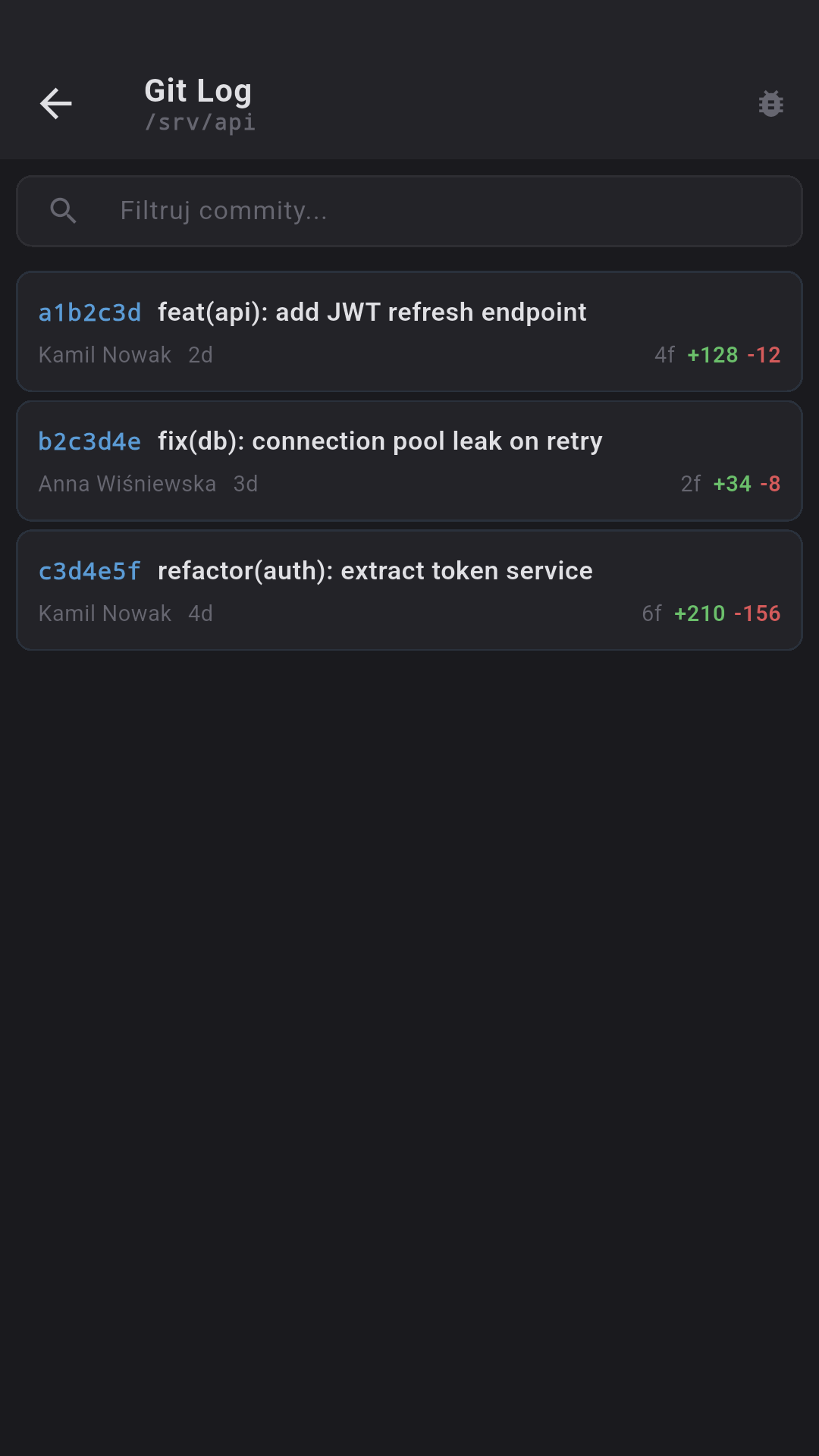
Git Log

50 commits with short stat. Expandable per-file diffs. Filter by hash, author or message.

🔍

Git Blame

File picker with search. Block layout with an 8-color commit palette. Pinch-to-zoom.

🔌

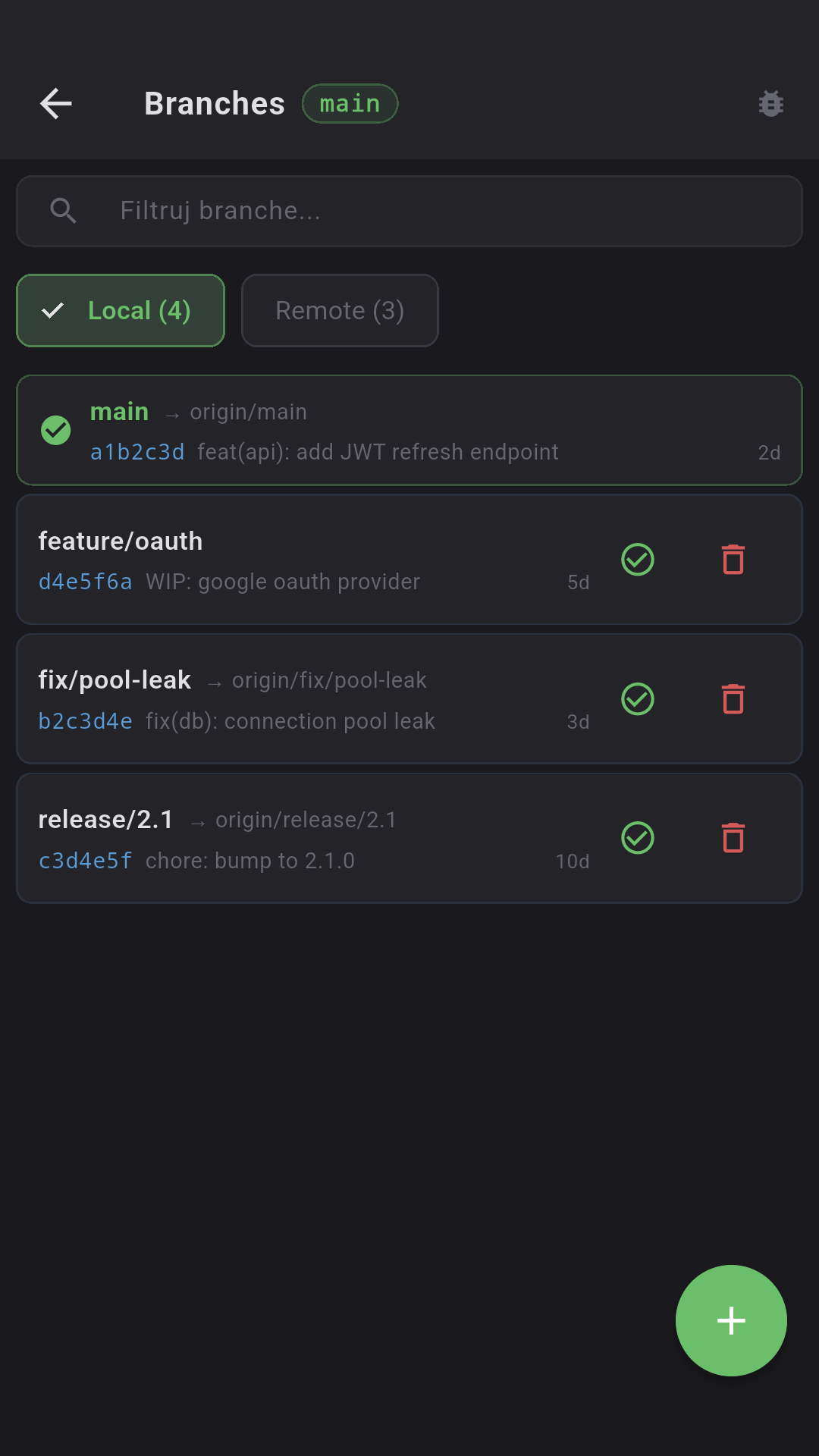
Branches

Local / Remote with counters. Checkout, new branch, delete (type "delete"). Tracking info.

📦

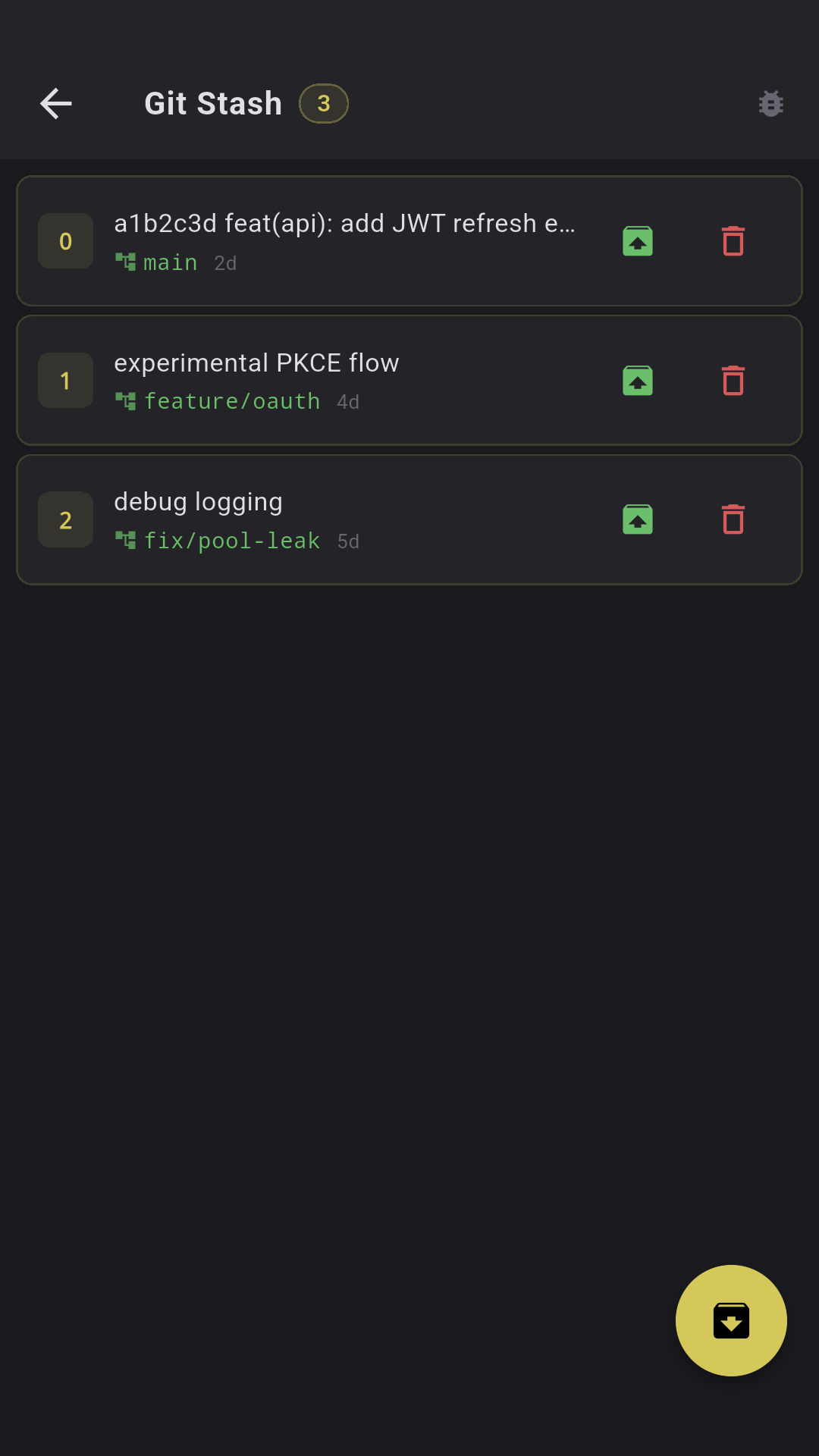
Git Stash

Push with a message, Pop/Apply/Drop with diff preview. Drop requires typing "drop".

🔃

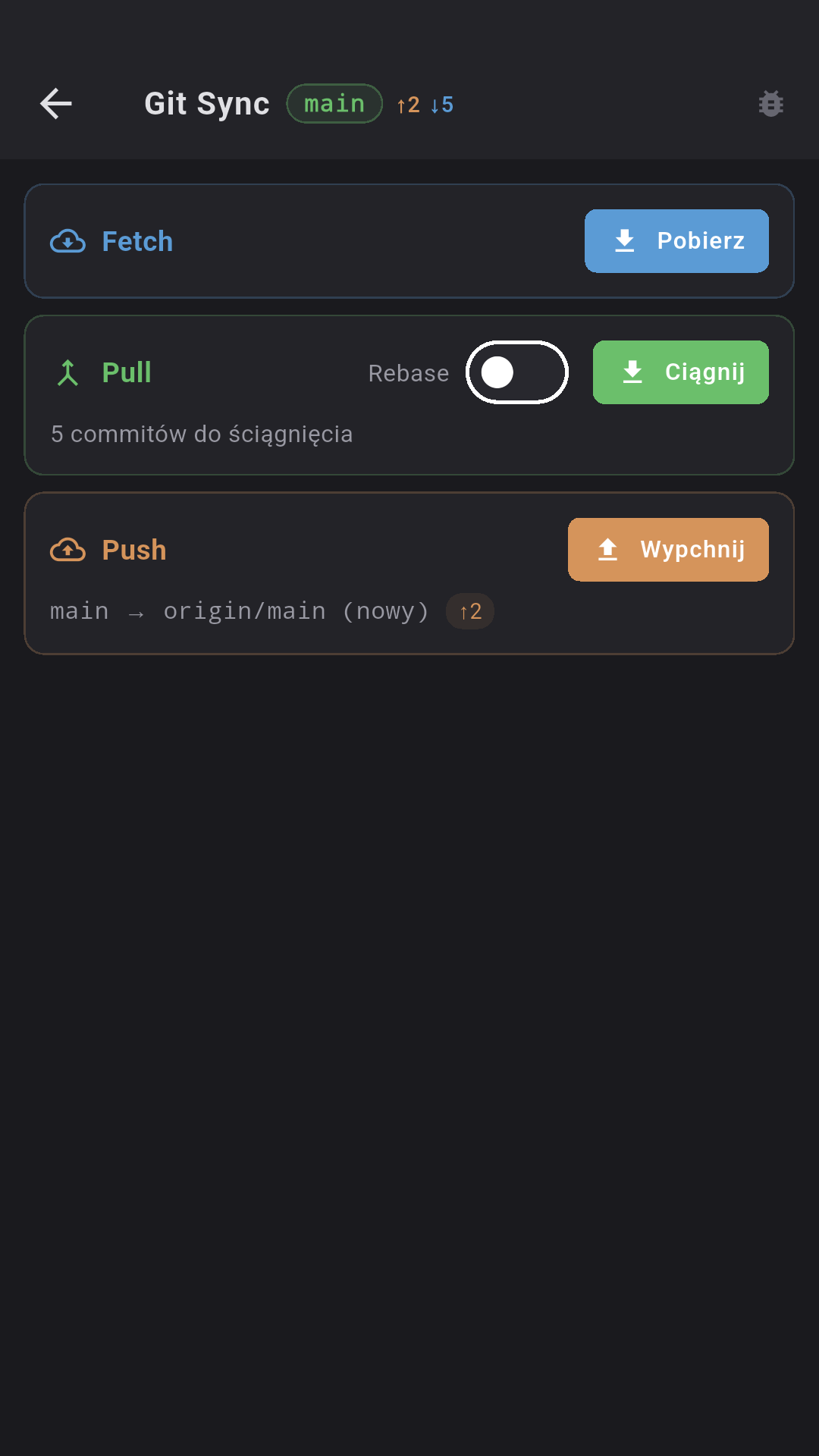
Push / Pull / Fetch

Ahead/behind badges. Pull with rebase option. Push requires typing "push". Auto set-upstream.

💬

Pull / Merge Requests

GitHub PR + GitLab MR. Per-file diffs, inline code review comments, CI status, labels, reviewers.

🚧

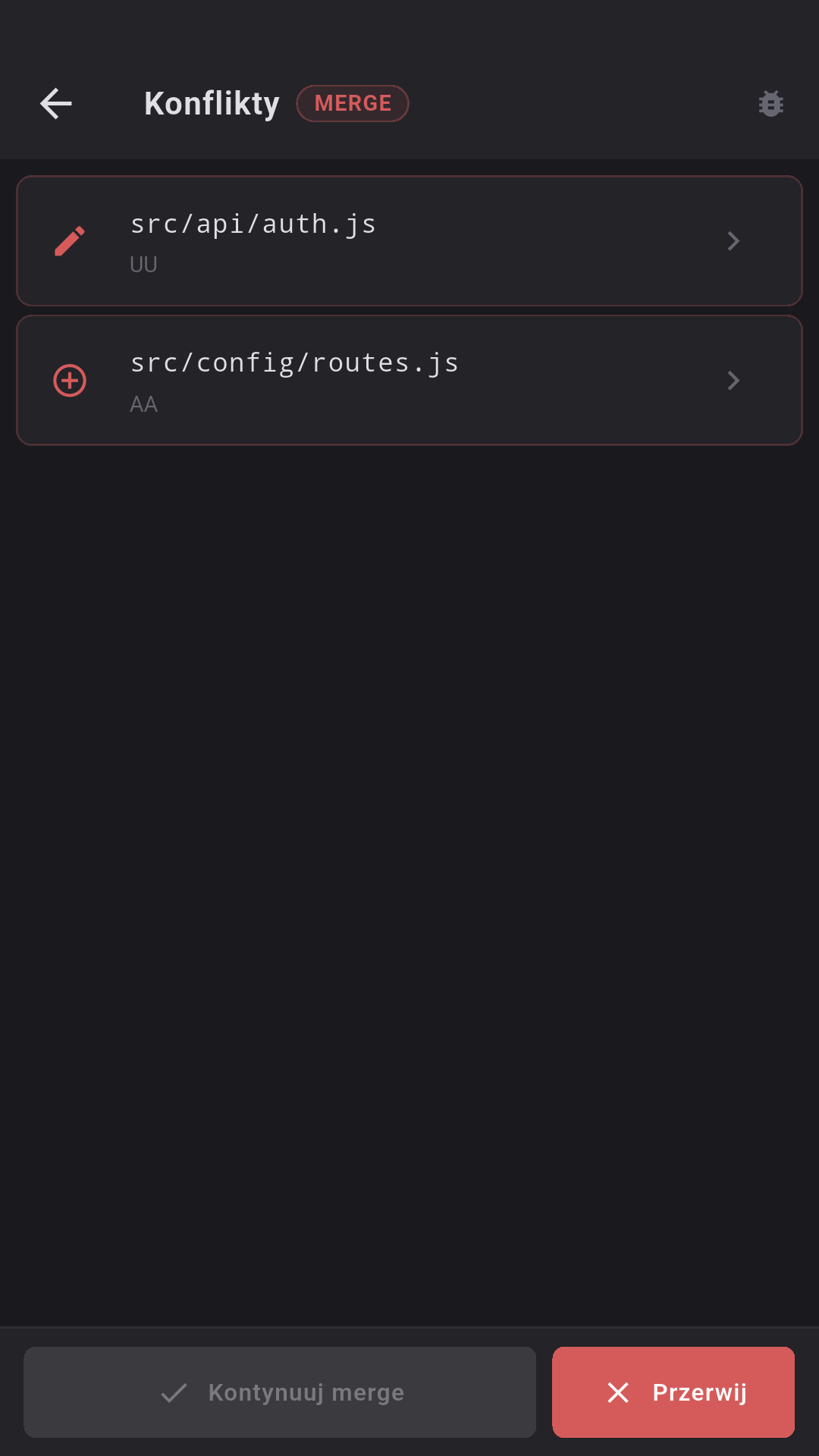
Conflict Resolver

Colored markers (ours/theirs). Three actions: Ours, Theirs, Resolved. Continue merge/rebase/cherry-pick.

Automatic CWD detection via /proc inspection. Token from the repo's .env file (GIT_ACCESS_TOKEN).

Infrastructure under control

Full server-environment management without leaving the terminal.

📸

Docker containers

List of all containers (docker ps -a), running/all toggle, filtering. Actions: start/stop/restart/delete with confirmation.

📈

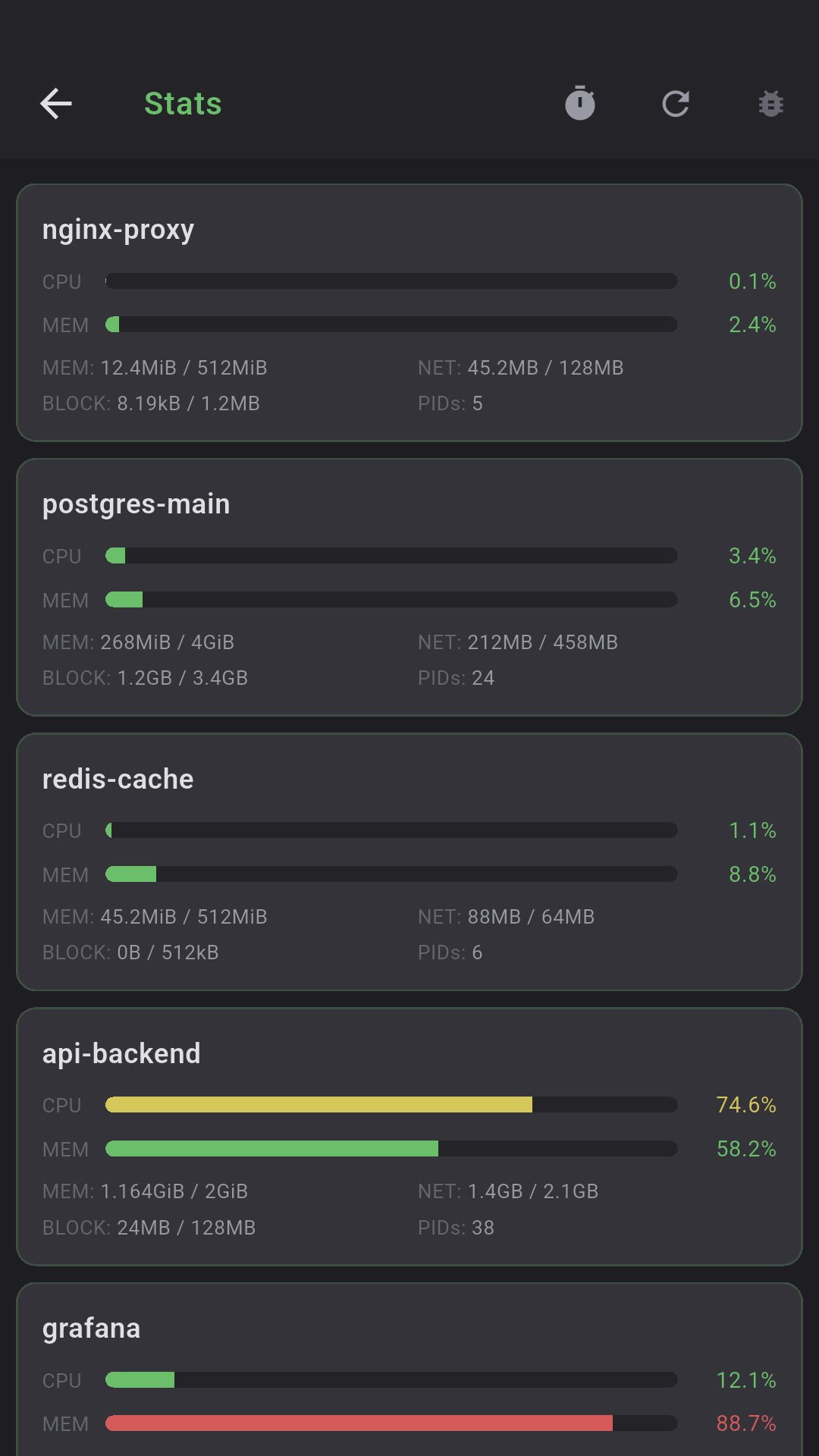
Docker Stats

CPU%, MEM% (progress bars), NET I/O, BLOCK I/O, PIDs per container. Auto-refresh 5/10/30s.

📜

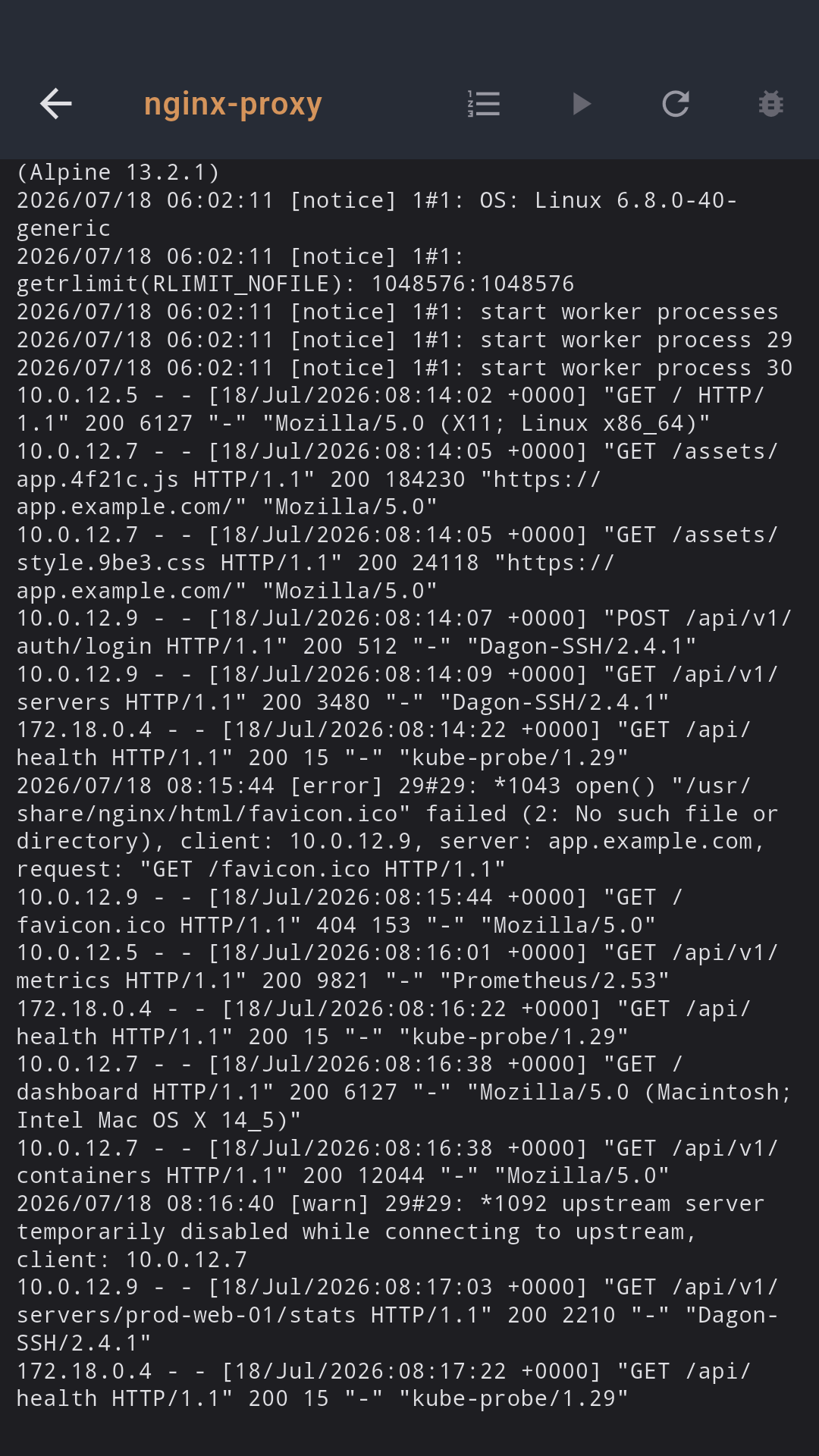
Docker logs

Tail logs of the chosen container (100—1000 lines), monospace with auto-scroll, optional auto-refresh every 5s.

💾

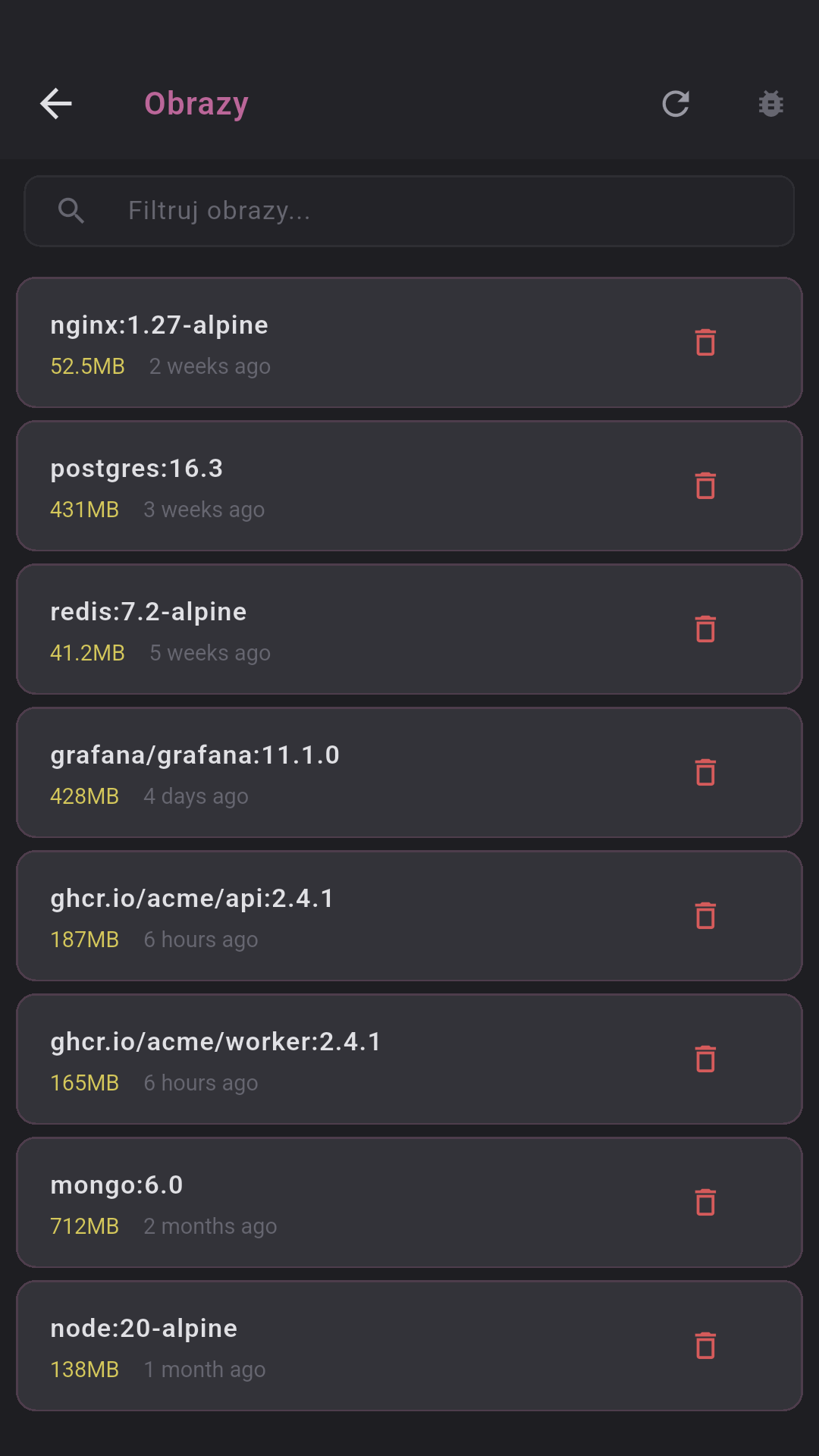
Images, volumes, networks

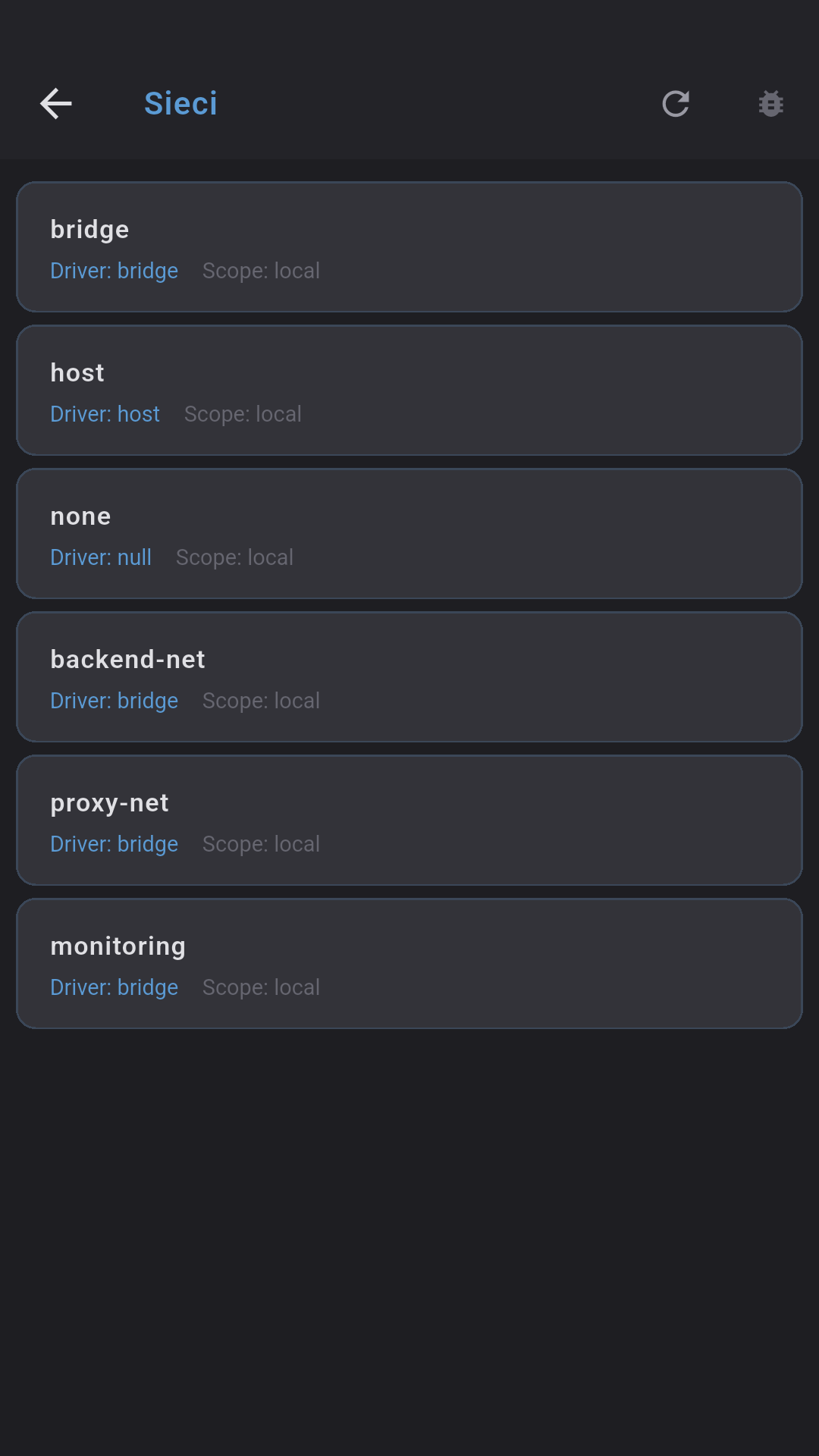
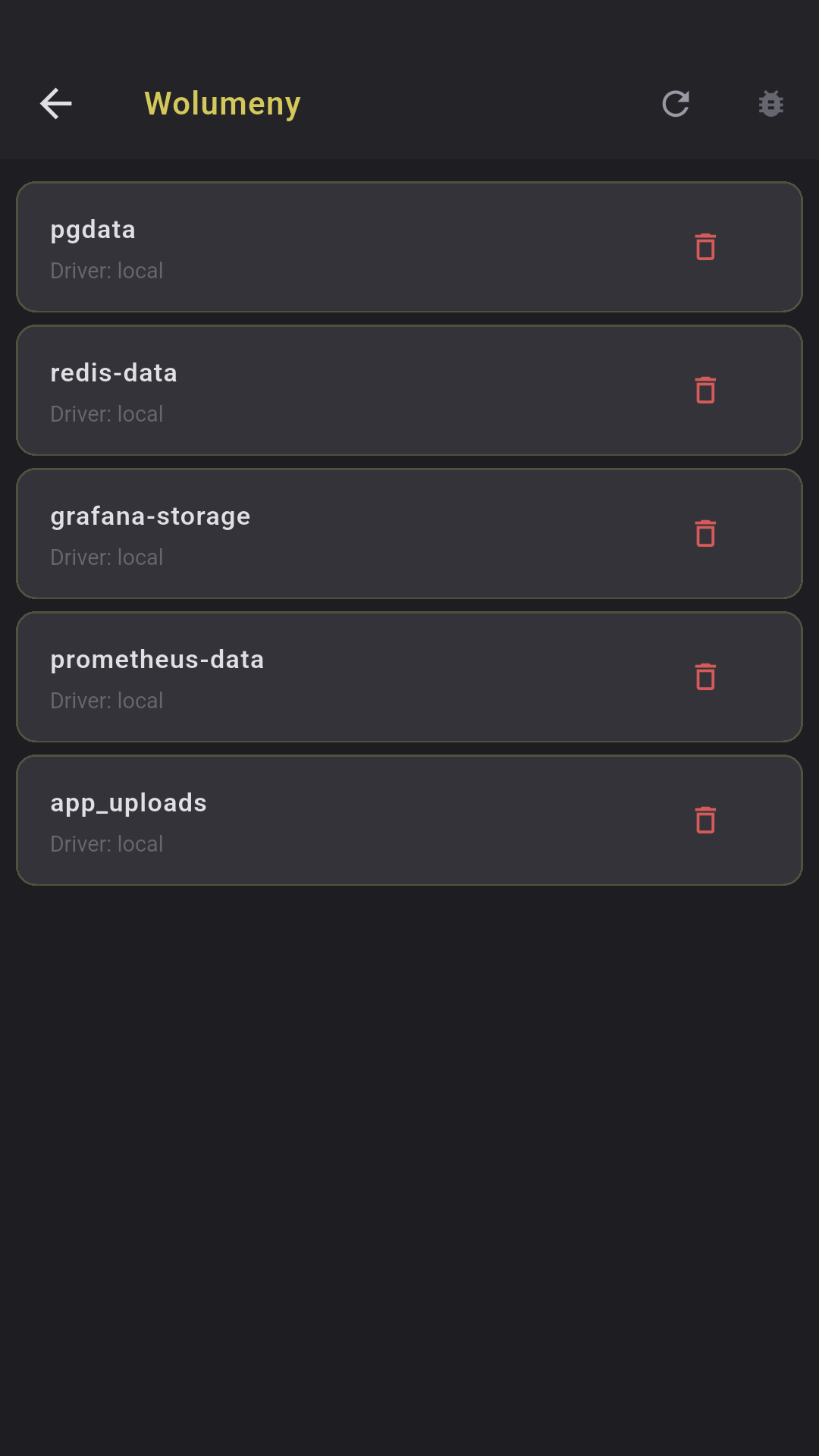
Image list with size and age, volumes with driver, networks with driver/scope. Delete with confirmation.

PM2 processes

Status (online/stopped/errored), PID, CPU%, memory, uptime, restarts, interpreter. Start/Stop/Restart/Reload/Delete.

📝

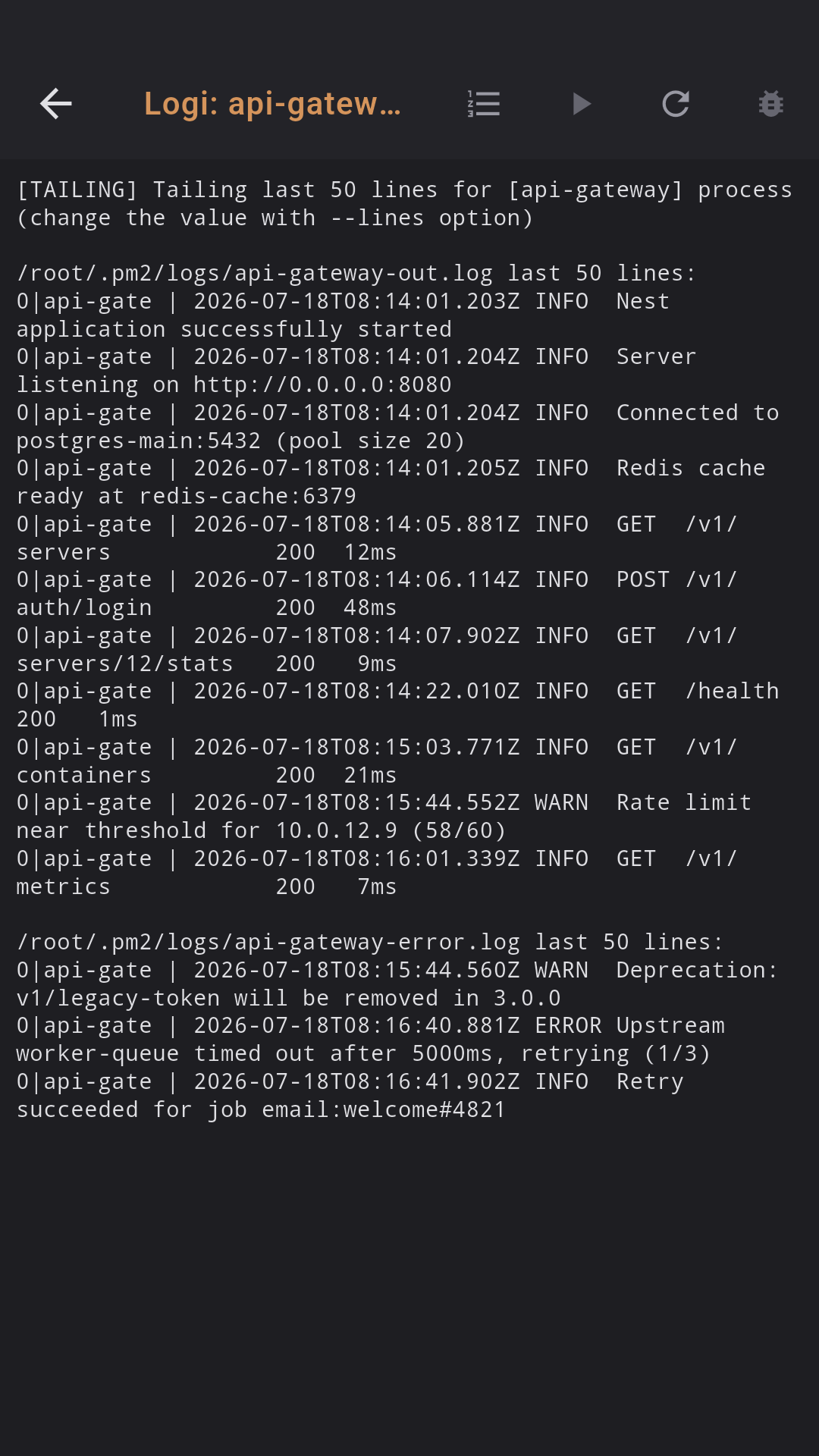
PM2 logs

Tail PM2 process logs (50—500 lines), auto-refresh every 3s. Process picker when name missing. Tap a process → logs.

Docker availability check on open — if Docker isn't installed, shows a clear message.
All commands run over SSH — zero agents on the server.

See it in action

Retro neon terminal — every screen styled with RetroTheme.

Terminal SSH

Terminal SSH

xterm-256color with neon theme

Split Terminal

Split Terminal

Multiple panes side by side

Voice-to-Text

Voice-to-Text

Recording and transcription

AI Commands

AI commands

Local model generates the command

SFTP Browser

SFTP Browser

Server files with preview

Git Changes

Git Changes

Colored diff, stage/unstage

Pull Requests

Pull Requests

GitHub PR / GitLab MR

Git Blame

Git Blame

8-color commit palette

Server Monitoring

Monitoring

CPU, RAM, disk, network, processes

Port Forwarding

Port Forwarding

Local/Remote SSH tunnels

Voice Notes

Voice notes

Folders, transcription, summary

Snippets

Snippety

Folders, parameters {{branch}}

Terminal Themes

19 themes

Dracula, Nord, Cyberpunk...

SSH Keys

SSH keys

Ed25519, RSA, fingerprint

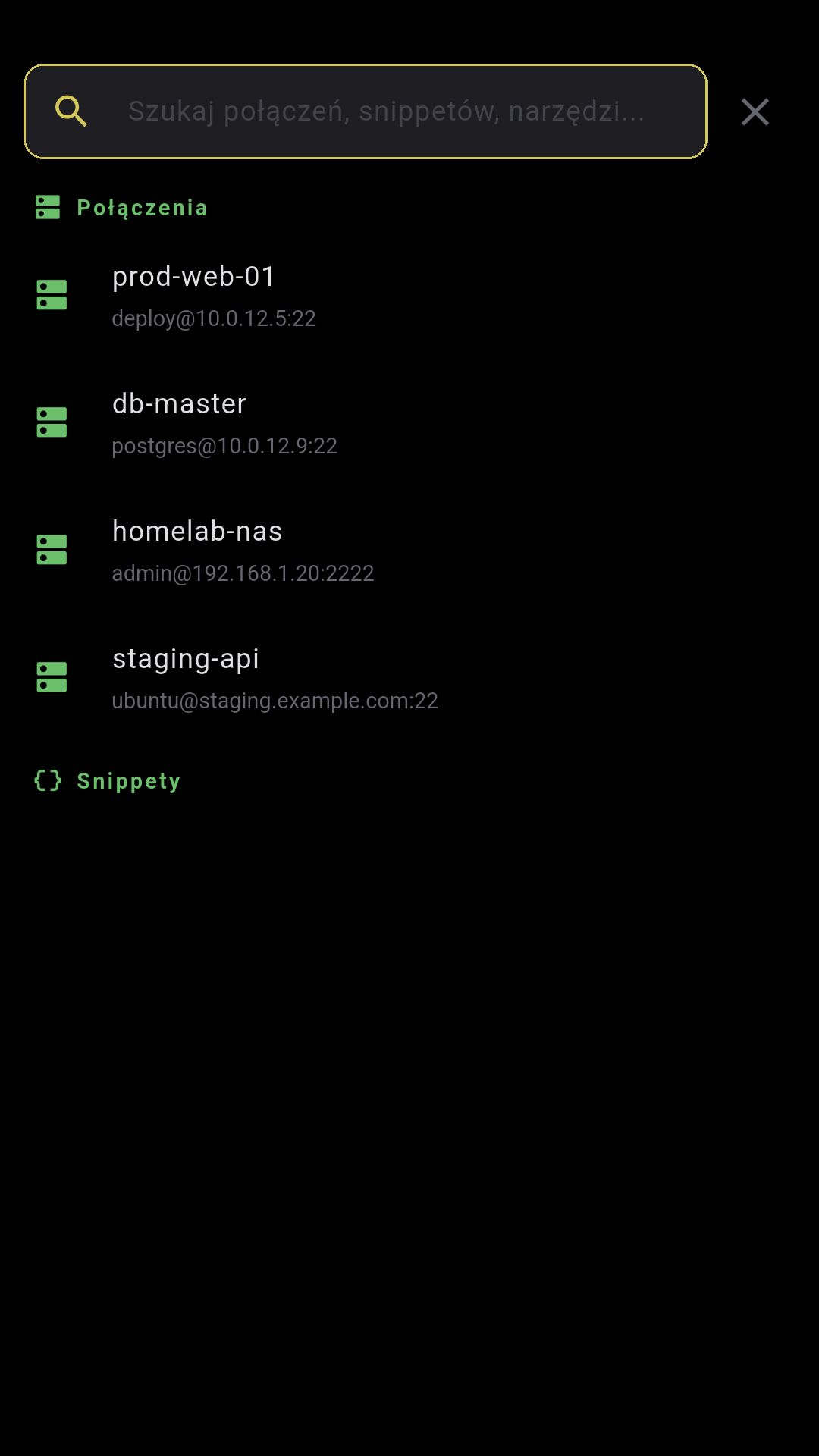
Connection List

Connection list

Active sessions + saved servers

Toolbar Editor

Toolbar Editor

Drag & drop, rows, width

Settings

Settings

4 tabs: Terminal, Toolbar, Sound, Other

Docker Management

Docker

Containers, stats, logs, images

PM2 Management

PM2

Processes, status, logs, actions

Local Terminal

Local terminal

PTY without SSH, shell on the phone

Built on solid foundations

Proven, open standards. No vendor lock-in.

🔐
SSH
Native protocol, Ed25519/RSA keys
🔒
Secure storage
Hardware keystore + biometrics
📊
tmux
Persistent sessions over SSH
🎤
Voice-to-Text
Self-hosted audio transcription
🤖
LLM inference
Self-hosted with cloud fallback
🔊
TTS
Local speech synthesis (PL/EN)
🍃
NoSQL
Scalable cloud database
👤
OAuth
Federated sign-in + tokens
WebSocket
Real-time sync and streaming
🛡
TLS / HTTPS
End-to-end encrypted transport

Simple pricing

Start free. Go Pro when you need more. BYOK — bring your own API keys.

Free

$0
forever
  • SSH terminal + tmux
  • Split panes
  • 20 voice messages/mo
  • 15 AI commands/mo
  • SFTP (read-only)
  • 19 terminal themes
  • SSH keys + biometrics
  • Git Integration
  • Docker & PM2

Team

$14.99
per user / month
  • Everything in Pro, plus
  • Unlimited voice + AI
  • Priority support
  • Cloud sync of connections
  • Export/import servers
  • Dedicated onboarding

BYOK (Bring Your Own Key) — plug in your own API key and use it without limits on any plan.
Self-hosted voice + LLM = zero API costs.